Hi @linnaealyn you should have the ability to do so now. If you can’t, I need to look into that. I’ll run some tests send you a dm in a bit. Thanks for letting me know!
1 Like
It works! Thank you!
1 Like
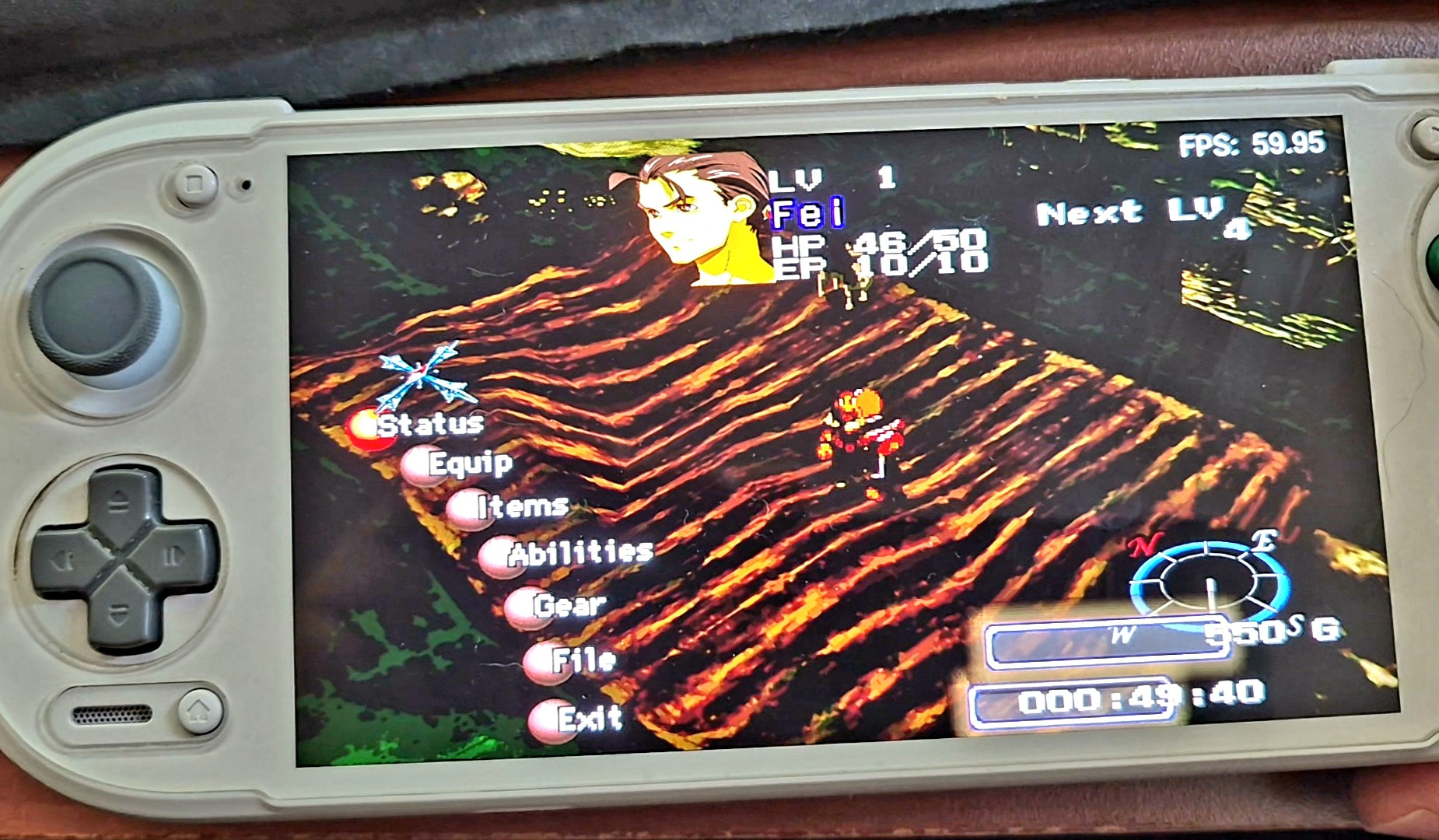
Hi, first and foremost thanks for the fantastic work! I’m playing this in my RP6, and trying widescreen, and trying 16:9 or widescreen mode to fill my screen. So far, everything is perfect. The world map does have some empty polygons when rotating the screen too fast, but 99% of the game looks perfect to me.
However, going through menus I have these little non-game breaking but annoying details. On the menu screen, the G and gametime windows are displaced. Tje same issue also happens in the Deathblow screen window. Stats menu looks perfect. Haven’t gotten to the Gears screen yet.
Anyway, would this be fixable with additional optional textures? Or is this a hard coded thing?
@radicalblues
Yeah the overworld sectors disappearing is due to the game’s culling bc the game was designed for 3:2/4:3/etc.
As for everything else, yeah no, that’s entirely due to the widescreen hacks breaking things. Texture replacement only replaces textures in real time, it doesn’t determine where those textures are placed.
Widescreen hacks breaks the game in those ways visually, so even if I were to replace the text box textures (which I don’t), they’d be replaced but still be exactly where they are in your image here because you’d still be using widescreen hacks.
This is why I only briefly played with the idea of making a version of this mod for use with widescreen hacks, because of all of these ways in which hacks breaks the game visually. I quickly scrapped that thought, the game isn’t made for it, the cinematography isn’t made for it. I chose to focus solely on 40:27 instead, its original aspect ratio (…if I’m remembering that number correctly; I’m away from my PC atm)
The only way to fix all of these issues is to disable widescreen hacks and set it up for its native resolution.
(Additionally, the only way to fix the stretched portraits you’ve got there in widescreen mode would be to stretch them accordingly in an image editor, so that when you view them in widescreen in-game they’d look normal. But you’d have to keep the image aspect ratios, thus you’d be cutting off sections of the portraits)
Thanks for the response!! Well, so far during map exploration and cutscenes, I’ve found no downsides to using widescreen, besides the overworld and these 2 menu screens. The slightly stretched portraits and fonts don’t really distract me much.
How far did you play in widescreen? Are there any other downsides you saw to using widescreen?
Just everything you mentioned here. I don’t like the overworld sectors popping in and out, it’s distracting, and I hate stretched portraits because I spent literally 5 years working on these portraits so it bothers me if they’re stretched and not displaying properly, and the text, I spent so much time creating a usable font that’s 1-to-1 that font, so I hate to see it stretched as well.
Also the 40:27 is specifically 1) so I don’t have to stretch the portraits at all beforehand to get them looking right in-game (which would just end up stretching it twice, making them even blurrier) and 2) to make all circles circle and all squares square (battle/save portraits are square, battle palette/gear reticle are circles… as well as other things, I’m sure, like the circle-light sprite around Elly at the end of the game).
Basically, I choose not to use widescreen in order to get the best looking Xenogears I can get, especially bc it’s my favorite game of all time so I really wanna do it justice. And any screenshots I get I don’t want to visibly be so obvious that it’s someone emulating the game with inaccurate settings.
But also bc I’m sure certain things that are meant to be just off screen, barely visible, would be fully visible in cutscenes (like OR-Weltall during the flash-forward scene in the opening).
Also also bc the last time I saw someone using it with egregiously bad settings someone in that person’s comments was like “ew looks like AI, no thanks” and it pissed me off that my work was being shown off in such a bad light that people thought it was AI 

Just heard about a new fan mod called Weltall (Releases · Roman215/Weltall · GitHub) that allows for fullscreen without all of those widescreen issues previously mentioned. It’s got so many great features and best thing is, it works seamlessly alongside the Perfect Works Build mod AND texture packs like this one!
Figured you’d wanna know all your problems have been solved lol
You can import your save file as well, so you don’t have to worry about losing progress either. Check their modding guide to see how to get it all working together.
@radicalblues
Adding onto that last comment and @-ing you so you see it (rather than simply editing the last comment)–
Should be noted that since I posted that comment we figured out the guy working on the Weltall Mod was not transparent to anyone, not even the PWB guys while in talks about integrating his mod with PWB, about the use of AI in his project, essentially lying by omission when they asked about the project’s creation, so… yeah, that’s a bummer.
(can read the official PWB comment regarding this and their cutting ties with the project via their Discord in their updates-and-announcements channel)
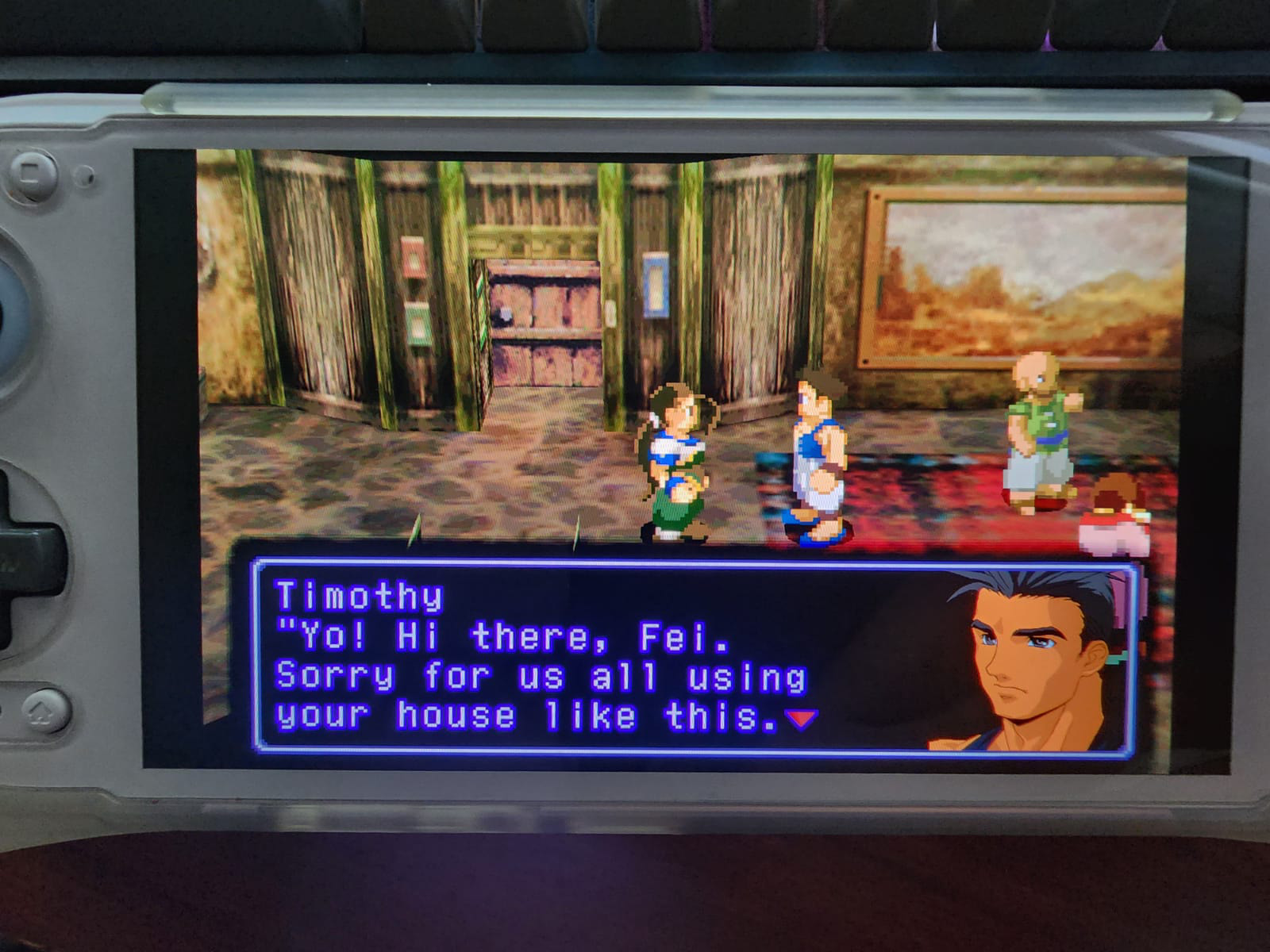
I tried Weltall. Works well, but the mouse camera is wonky. On one hand, it’s good to have an opening for a Xenogears PC mod, so kudos to the guy who did it, even if it was using AI or being a jerk. Hopefully, it will open a path for a “right” way to port it to PC, and then we can have easier mods and whatnot. But at this point, I found Weltall kinda… useless? Seeing how the Perfect Works team is allegedly already cracking how to hack the PSX game to make disc 2 “playable”, add in-game cutscenes, and whatnot. Anyway, I’ll be playing PWB with Perfect ART Works in my RP6, using Retroarch. Which, by the way, compared to Weltall, does a better work with the backgrounds. In the end, I used a custom resolution to try to make it look best on my device, and IMO it couldn’t look better.
2 Likes