1.8 release! yap yap
(09/07/2026)
1.8 is done! Finally, all portraits are what I’d consider complete. There are still some UI things I wanna clean up a bit and add to in the future, but that’ll probably be a while from now. I’ll probably take a bit more of a break from this after 5 years of working on this and always having it on my mind.
This version includes a ton of newly cleaned up portraits, reworked a few gameplay textures, high res Memory Cube, and new additions now that the newer Retroarch versions have better texture dumping! Those that were unable to dump before can now dump and replace! Like the compass, the quad-DB icons, and the Gear reticle!! Never thought it’d ever be possible, so this was a pleasant surprise.
It’s also an all-in-one download this time rather than having the English and Japanese versions separate. It just makes my life less of a living hell to sort through. It’s only a handful of megabytes bigger, having them all in one. Nothing crazy.
This should automatically work for the NA version, the JP version, and the Perfect Works Build mod, both its English controls and Japanese controls options (so say, the PWB changes to UI, “Defense” will properly display as “Defend”. etc).
Feel free to drop into this thread or DM me anywhere if you have any issues setting up the mod. AFTER reading the instructions, please. I’ve spent a lot of time on them, they answer a lot of the most basic setup questions, even down to newbie stuff for people who aren’t super computer savvy.
I appreciate anyone who brings new issues to my attention, it helps me set up the instructions, to cover all known issues, to help others with troubleshooting in the future.
Also I’m Linnaea11 on discord and hang out in the Perfect Works Build discord so you can also @ me in there under the General channel.

This is a portrait/UI texture mod for Xenogears using Retroarch’s Beetle PSX HW core real-time texture replacement option.
これはRetroarchの「Beetle PSX HW」テクスチャ置換オプションを使用した、ゼノギアス向けテクスチャMODです。
このMODは、ゲームの英語版と日本語版の両方で動作します。
(Mouse over “[1]”, “[2]”, “[3]”, etc for additional info.)
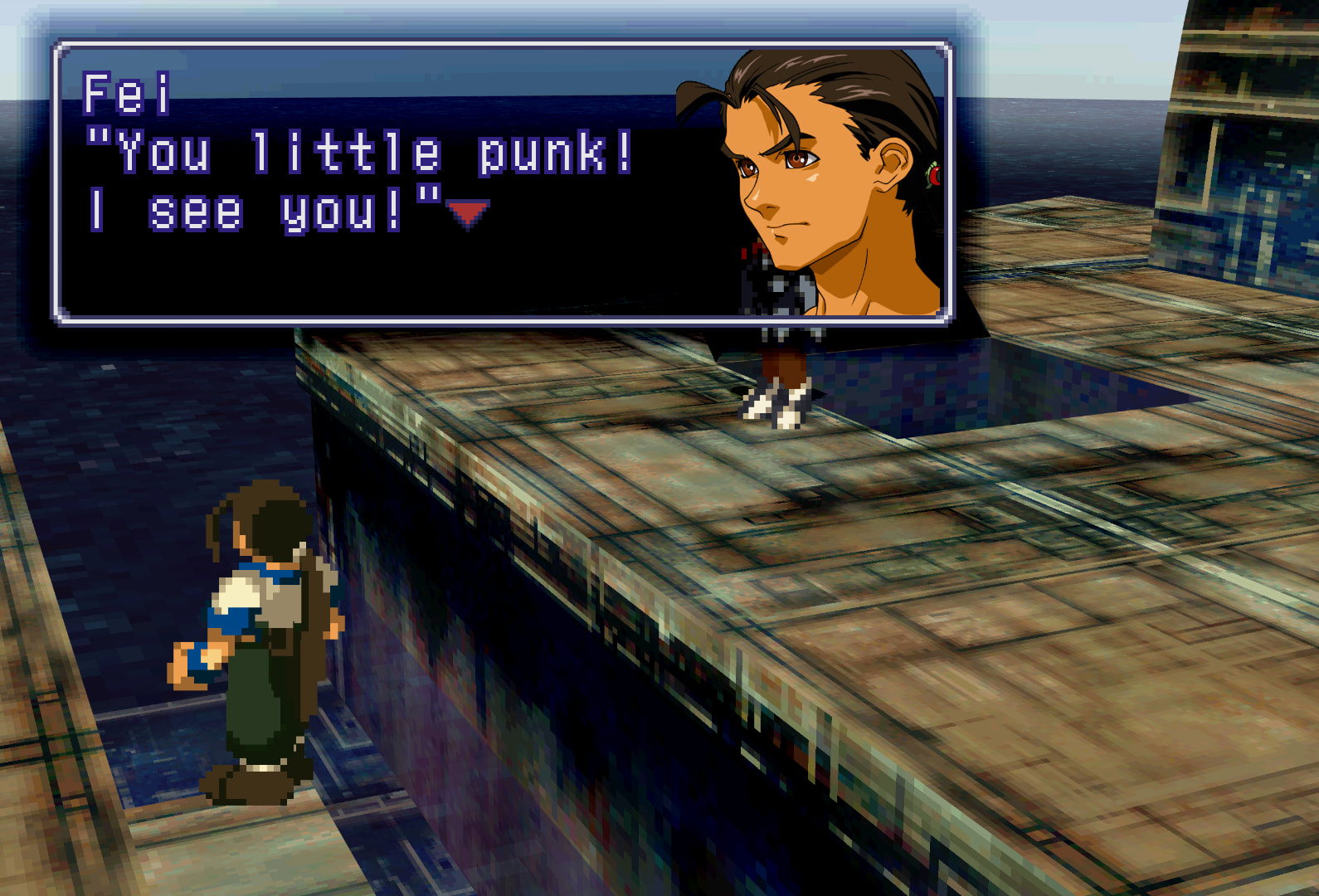
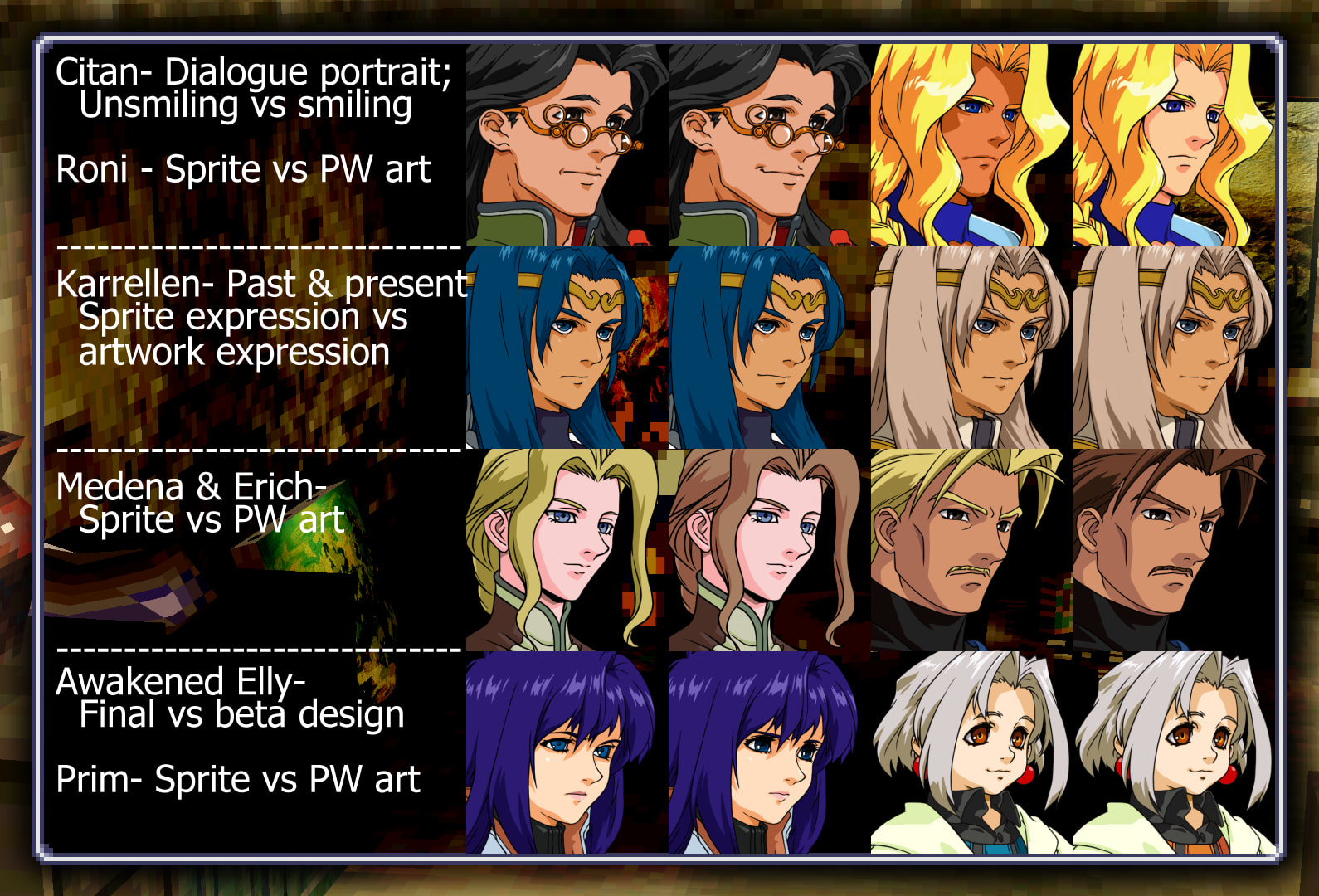
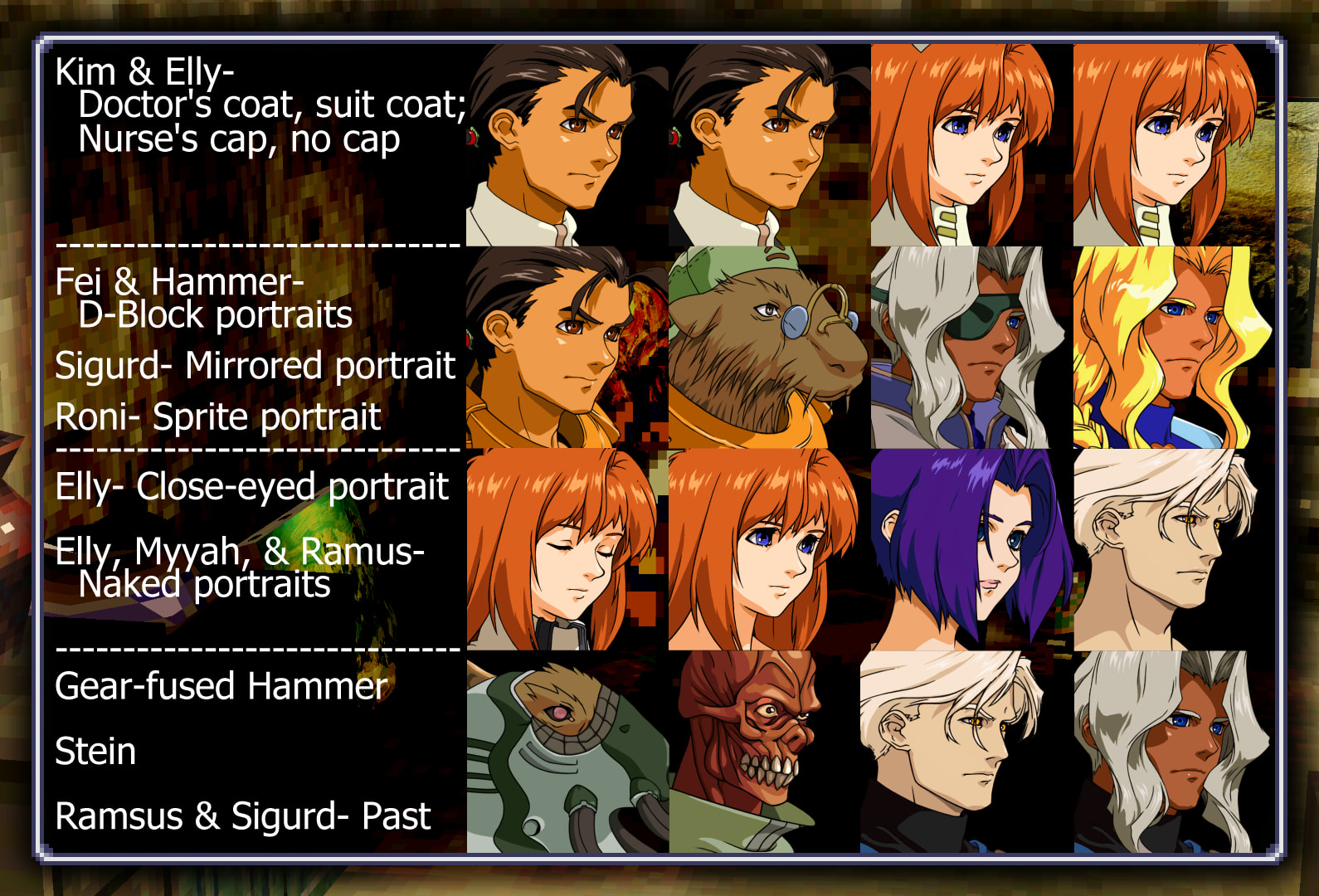
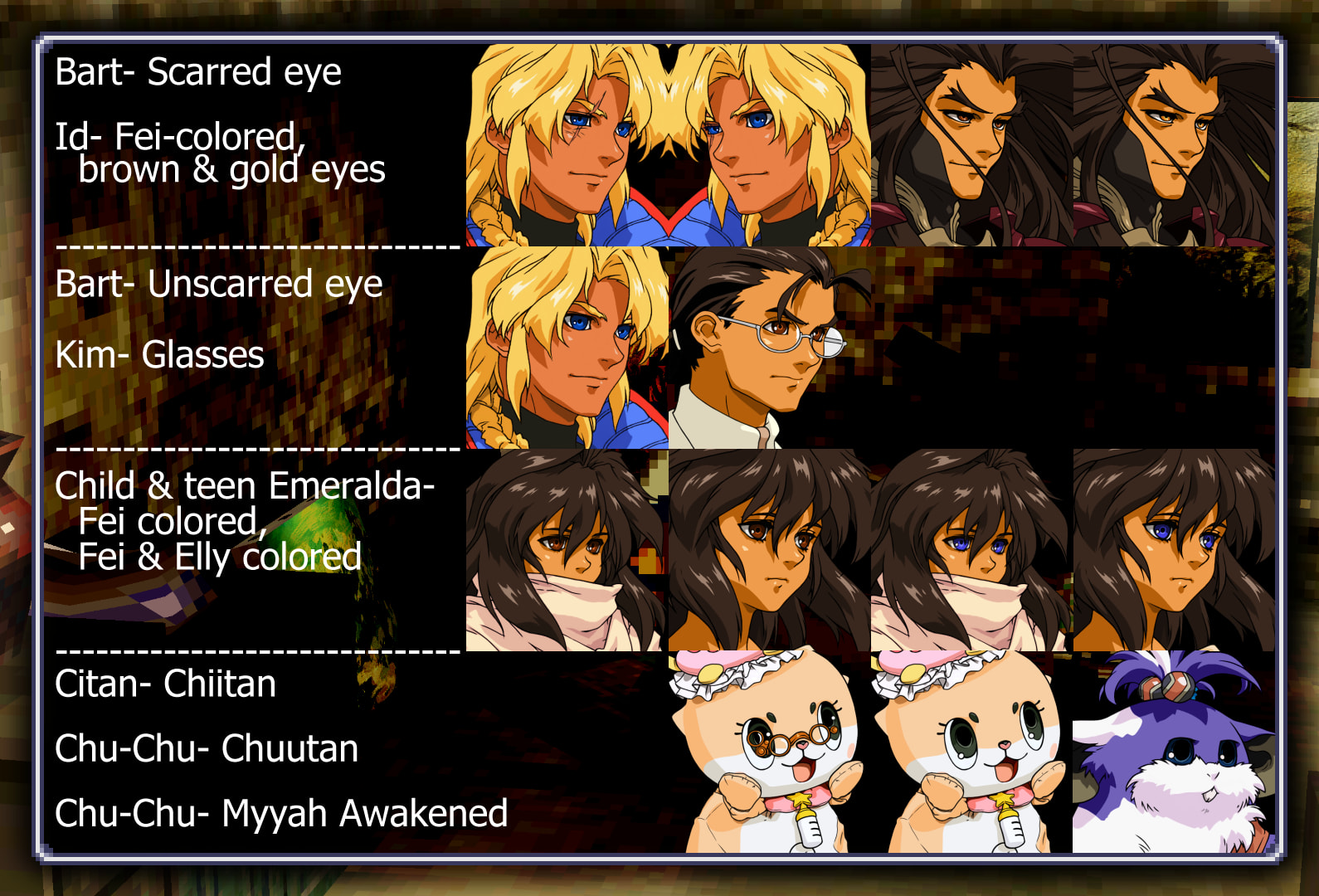
This mod replaces every single character dialogue portrait, menu portrait, & every [1] battle portrait with their artwork equivalents. Each are cleaned up by hand or recreated by hand from scratch when there is no artwork equivalent.
There are what I refer to as “default” & “alt” (alternate) versions of portraits and UI elements.[2]
There are also non-canon alt portraits for various characters, just for fun.
Details on how to go about changing between default and alt textures can be found in one of the instruction files included in the ZIP.
It also replaces certain UI elements while keeping it true to the original look of the game; primarily with a focus on making it look cleaner and be easier on the eyes when playing on modern screens.
If there is anything you don’t like about it, like certain aspects of the UI, you can locate & remove/delete that file from the folder. Everything is optional. Check instructions file #6 for info on what’s what.
-
 No AI was used in the making of this mod. Everything was done by hand.
 -
 It requires the Vulkan driver, so make sure your graphics card supports it.
 -
 Duckstation does not have a * reliably working * equivalent to Retroarch’s texture replacement; please let me know if their texture dumping and replacement ever improves. [3] Overall, at the moment, it’s very messy.
 -
 If you use this alongside a “Perfect Works Build” patched rom, do not select the “Face fixes (resize)”, “Face fixes (normal)”, or “PW Roni” patches. All of these things are fixed/changeable with texture replacement, but will break texture replacement if selected. [4]
 -
 It works on Steam Deck, but don’t ask me for details in setting that up, I don’t own one
-
 Being a real-time texture replacer, it should work with any English or Japanese version of XG, both base-game and modded/patched. Any fan-translated patch should also display correctly, so long as it does not alter the portraits. [5]
 -
 I recommend reading the instructions txt files I included in the ZIP file.[6]
 -
Spoiler-free screenshots are at the bottom of this post, any potentially spoilery screenshots will be blurred. In the next post of this thread here under an expandable arrow I’ll go over the portraits in more detail; those will of course be spoiler-heavy.
Download [7]
Perfect ART Works 1.8 AIO
If you’re using this for your first time playing through the game and don’t want to be spoiled be aware that a single glance through the folder or alternate portraits folders can quickly spoil you.
(〜 ̄▽ ̄)〜
Changes made:
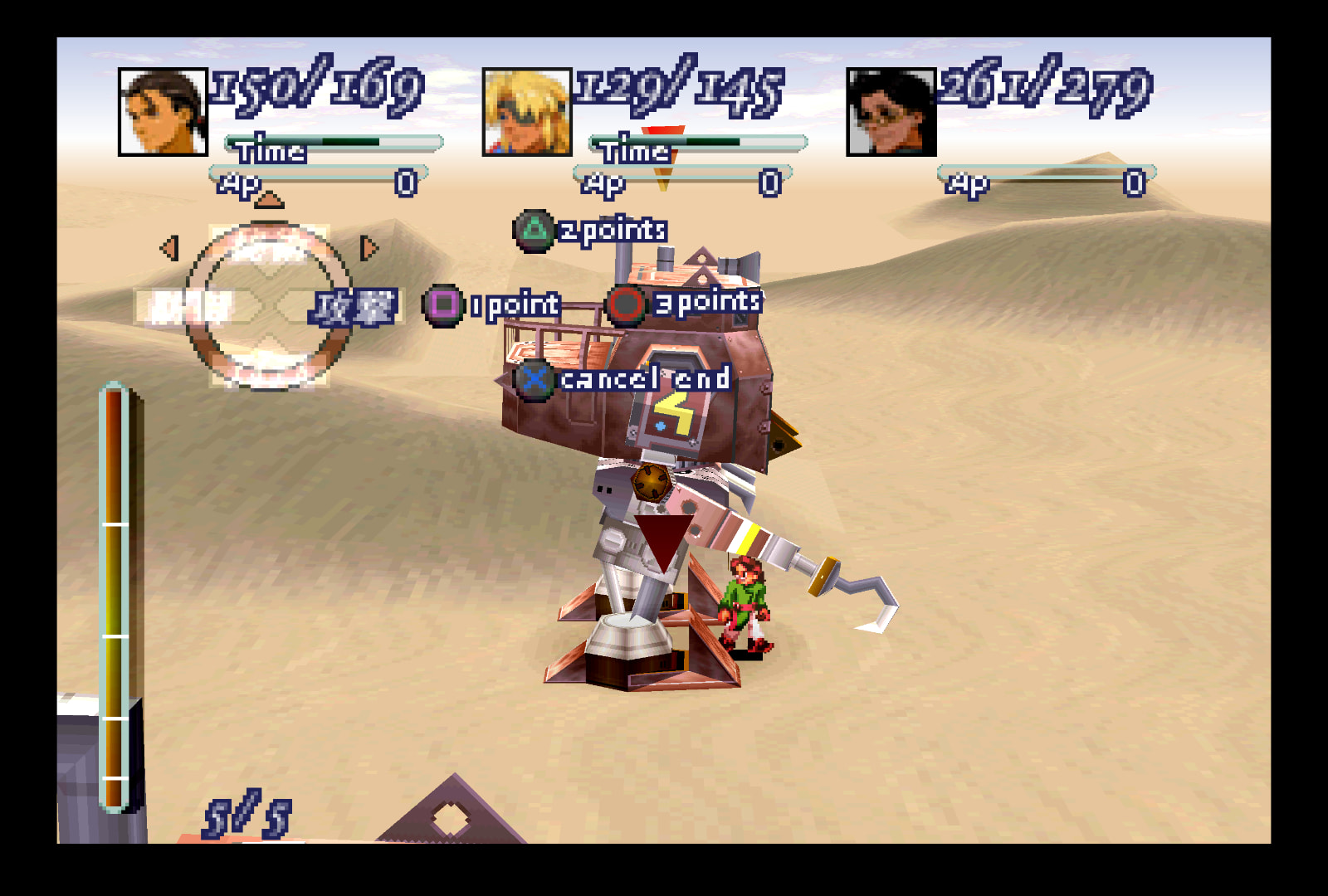
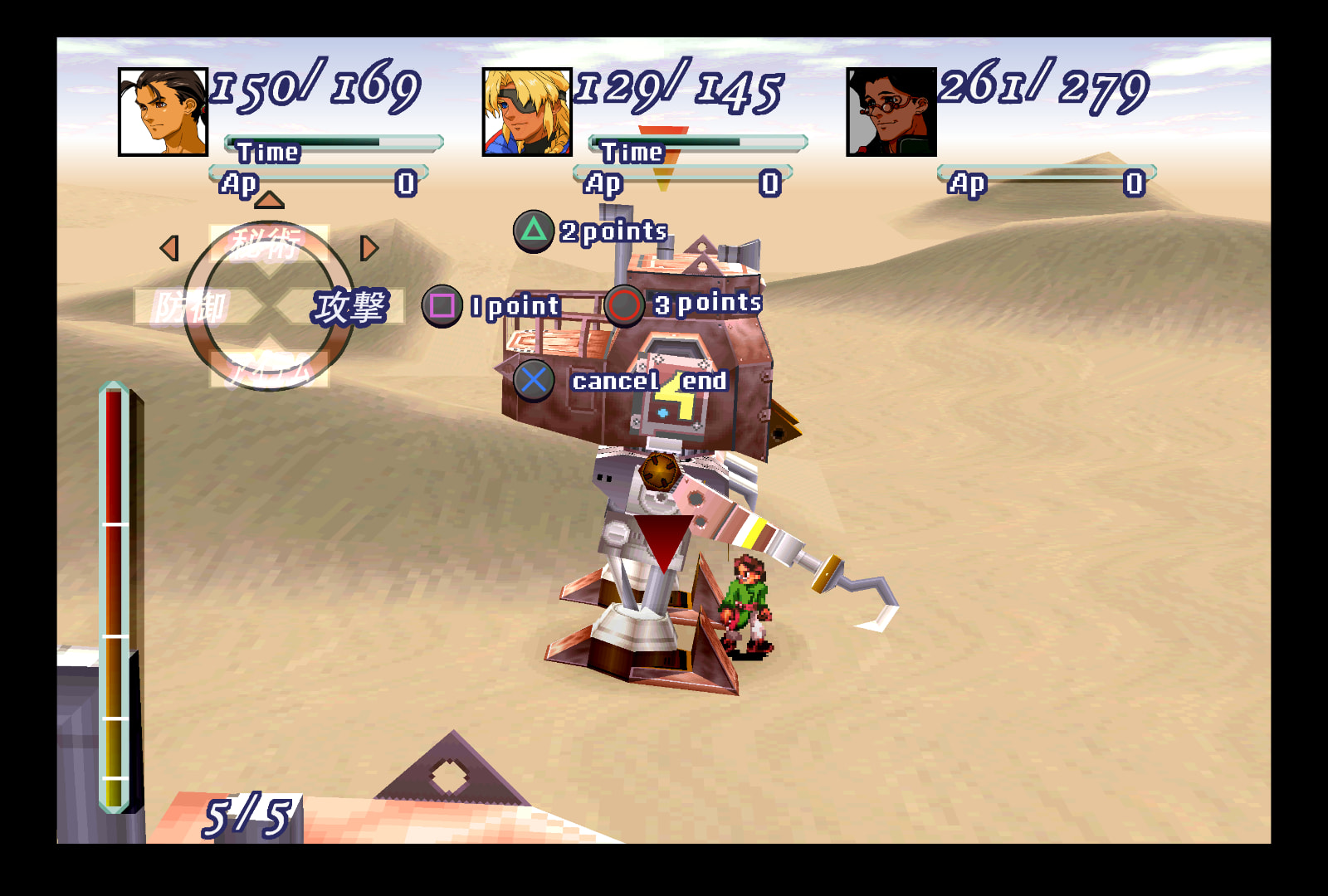
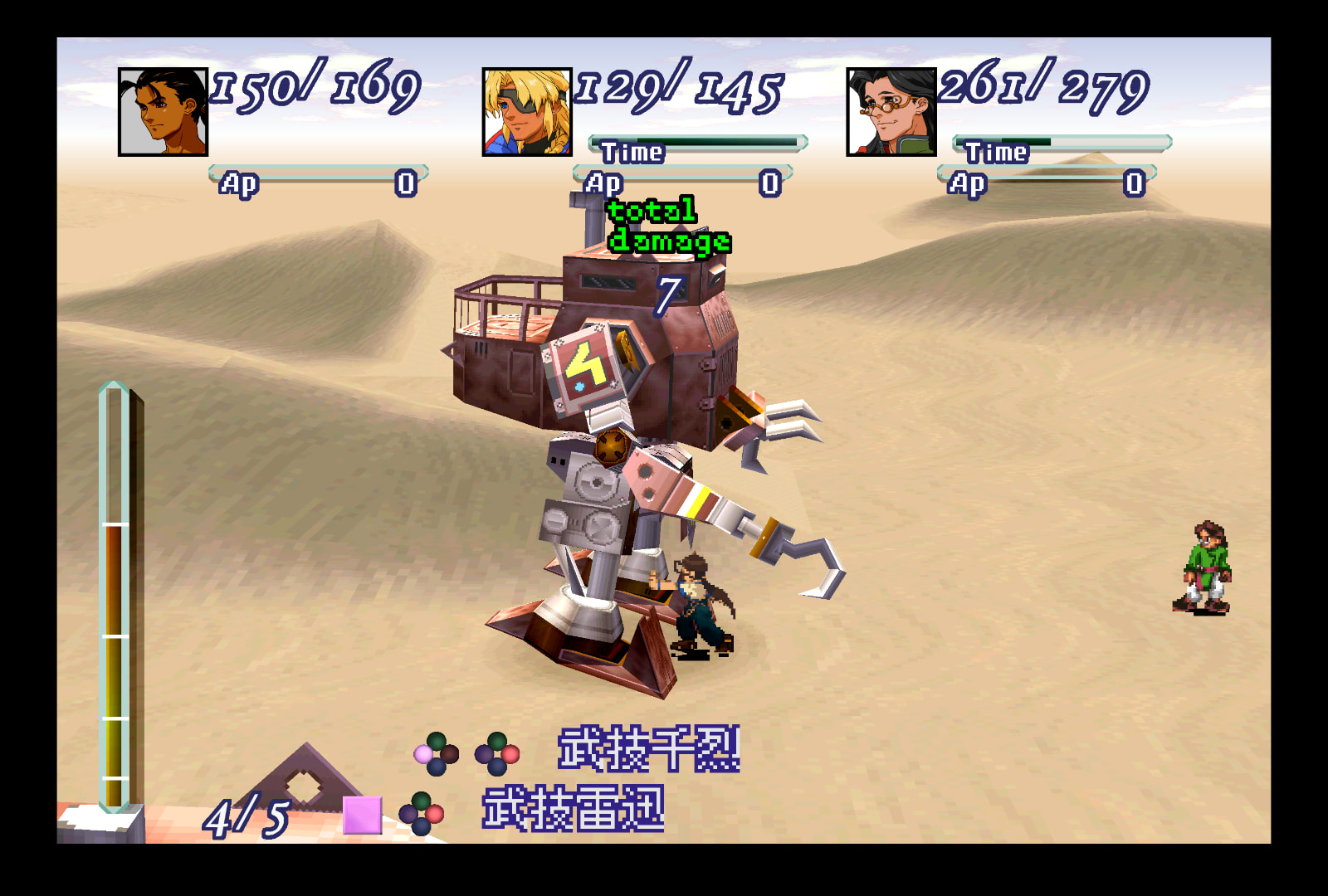
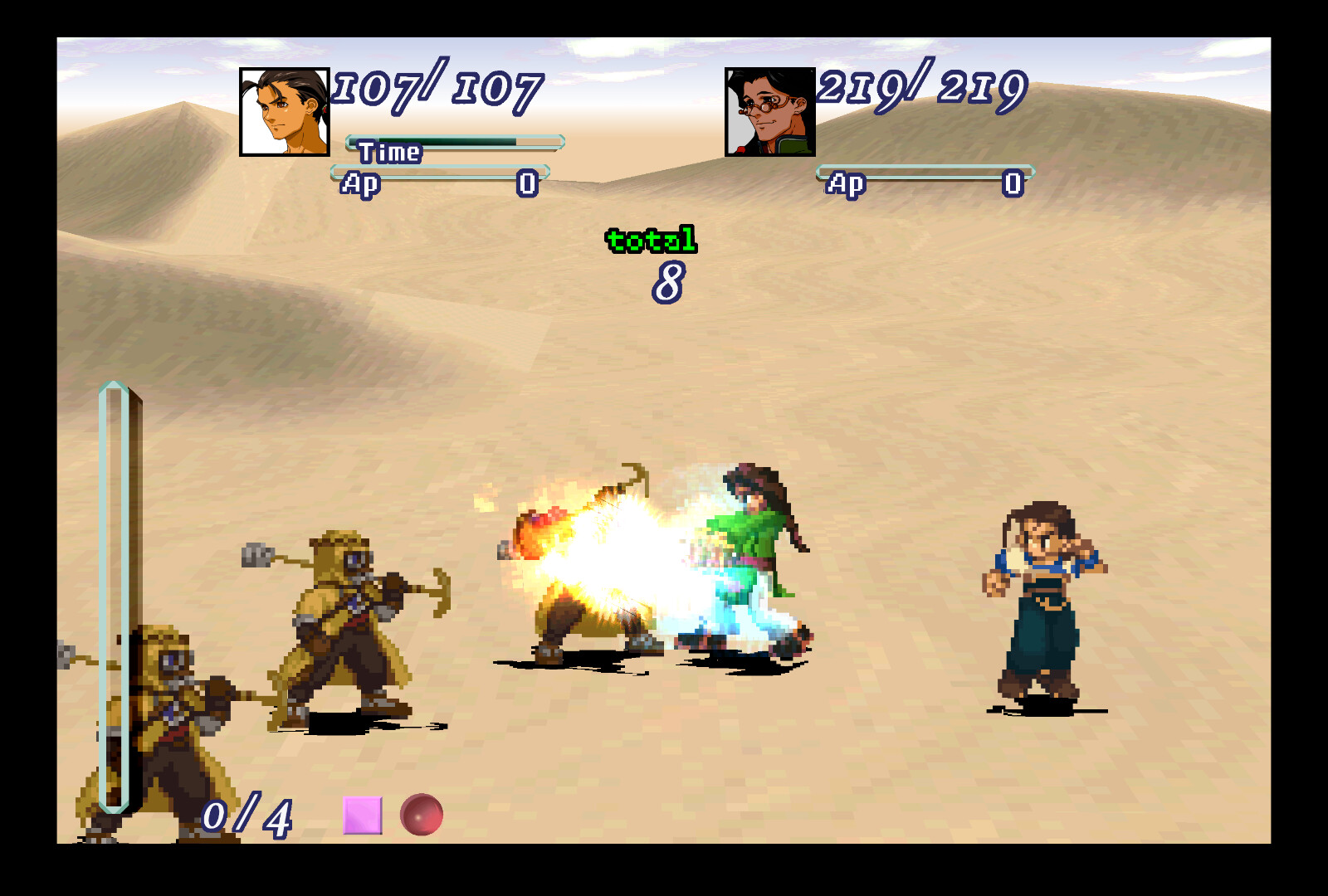
General battle UI and on-foot-specific battle UI:
- Battle portraits [8]
- Circular battle palette, battle palette text, tags behind said text
- Purple/white misc text: “Combo”, “Return”, “Enter”, “Miss”, “EP”
- HP/DMG/heal/AP numbers
- HP/AP bars
- “Time”, “fuel”, “total damage”, AP numbers, “1(/2/3) point(s)”, “cancel end”
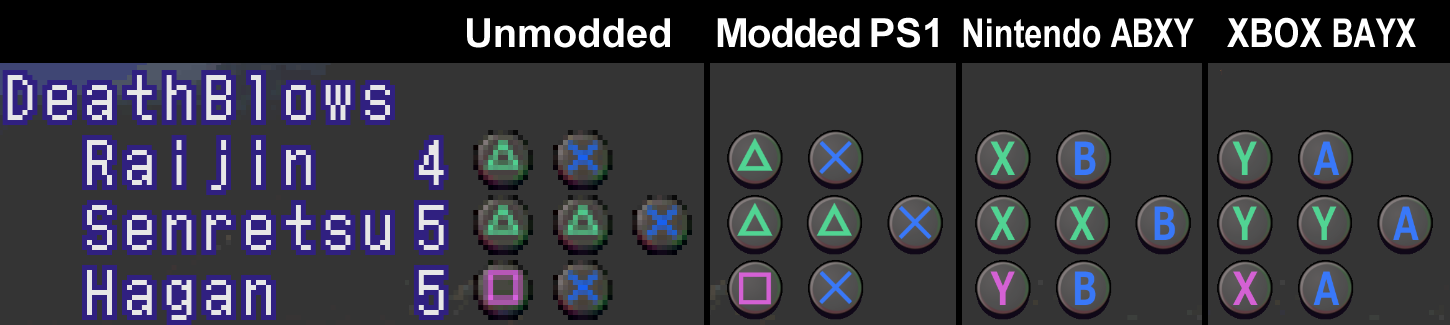
- ▲ ■ ● X button DeathBlow icons (includes an alt texture for a Nintendo ABXY button layout and one for an XBOX BAYX button layout)
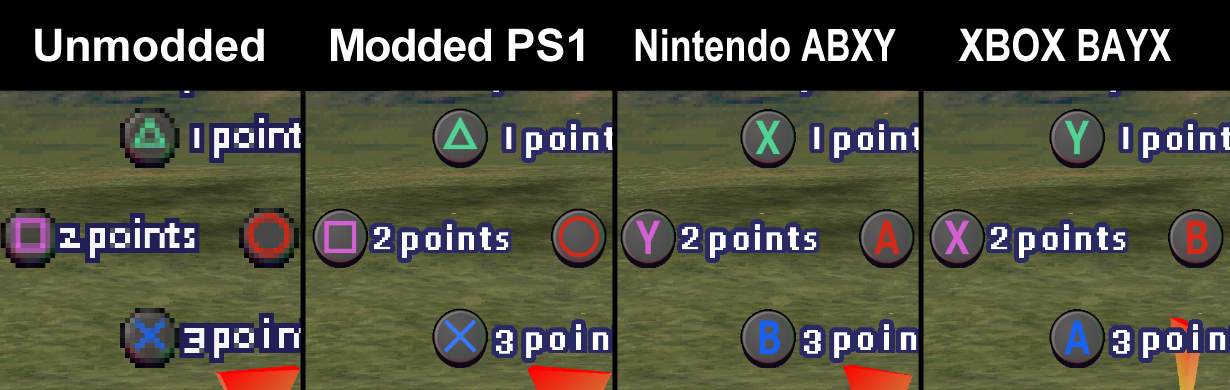
- Bottom screen mid-DeathBlow ▲ ■ ● X icons and the quadruple-button icons
- Combo 1-7 & Accept icons
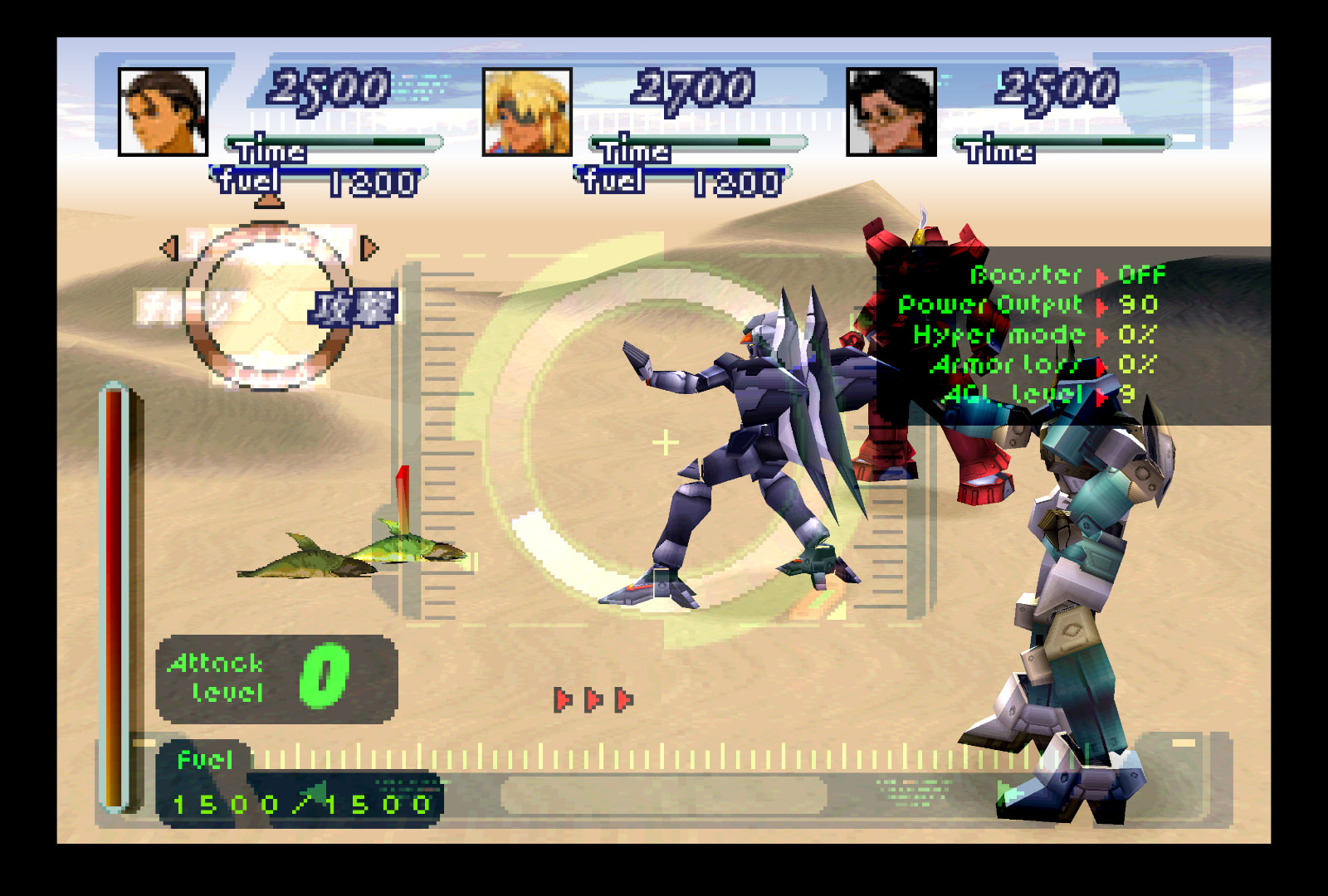
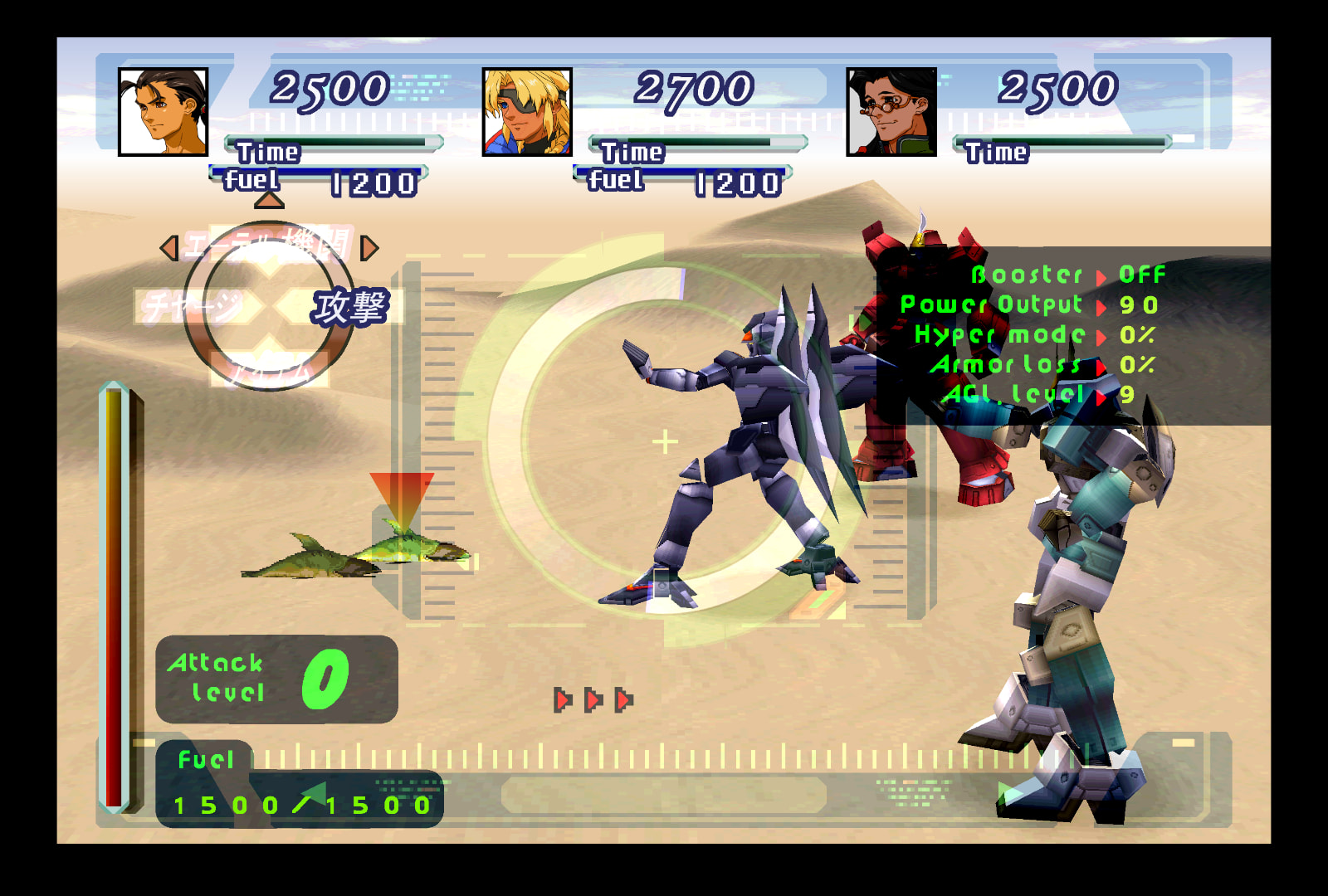
Gear battle UI:
- “fuel” & fuel numbers
- “Fuel” popup (when using boost)
- Fuel bars (top and left)
- All green text/numbers
- Attack level numbers & ∞
- Red/yellow Gear status effect tags
- Background UI elements: Black Gear menu backgrounds, top & bottom borders and their runes, triple red triangles, Gear moving reticle UI
(There’s absolutely no way of replacing the triple red triangles’ black “backgrounds” due to its very nature- they aren’t textures, per se. The shape is dictated by the code, not by the image. It’s grabbing that black from a small area in the middle of the Gear status box texture, then literally tiles that small square area into that pixelated sideways arrow shape.)
All other changes:
- All dialogue portraits
- All menu portraits
- Red menu selection triangle
- All instances of red/purple selection diamonds, both horizontal & vertical
- Red/grey spheres (in the menu/loading screen)
- ▲ ■ ● X button menu icons (includes an alt texture for a Nintendo ABXY button layout and one for an XBOX BAYX button layout)
- Walk/Gear icons
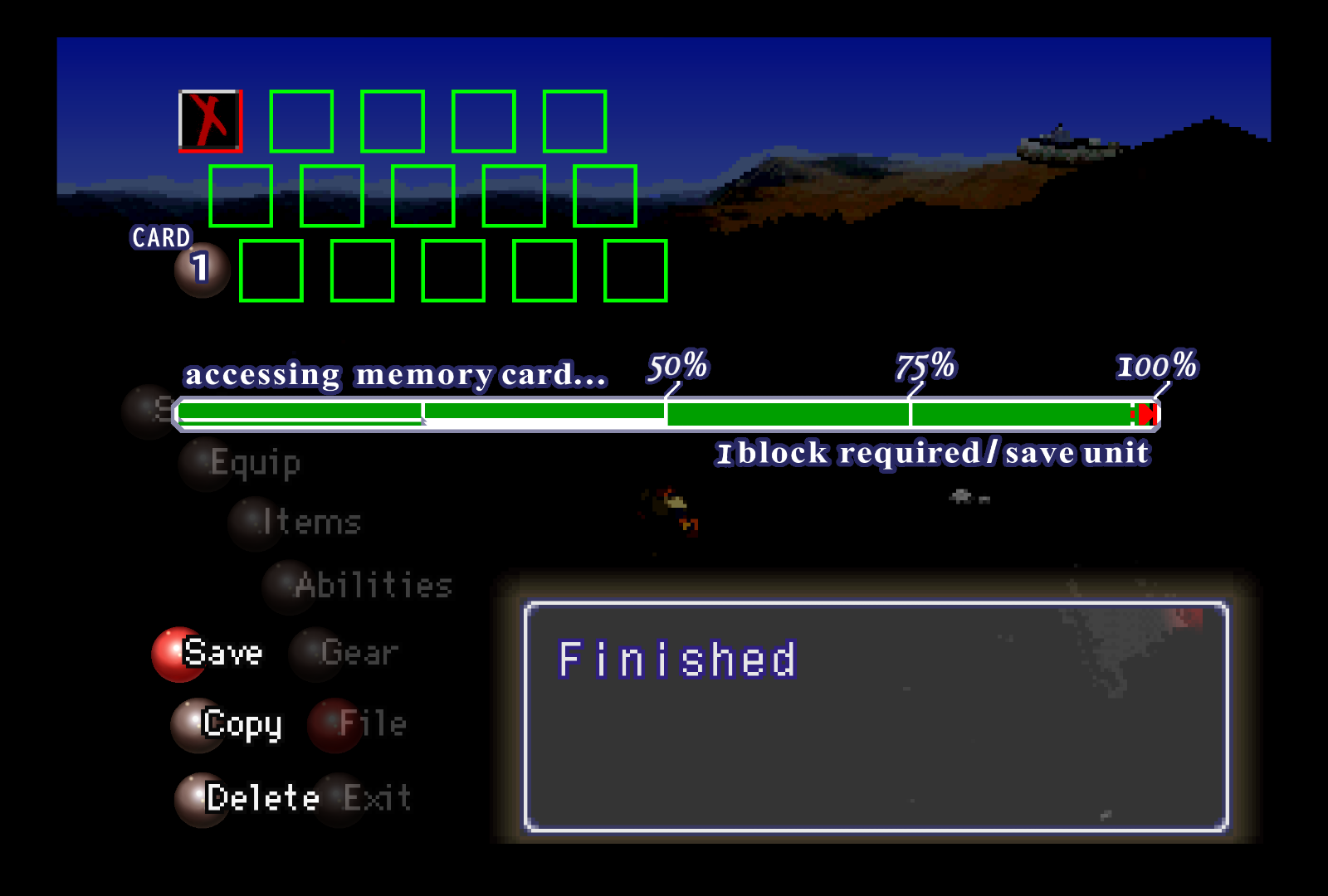
- Load/save screen: “CARD 1”/“2” text, memory card icon, load/save bar/text
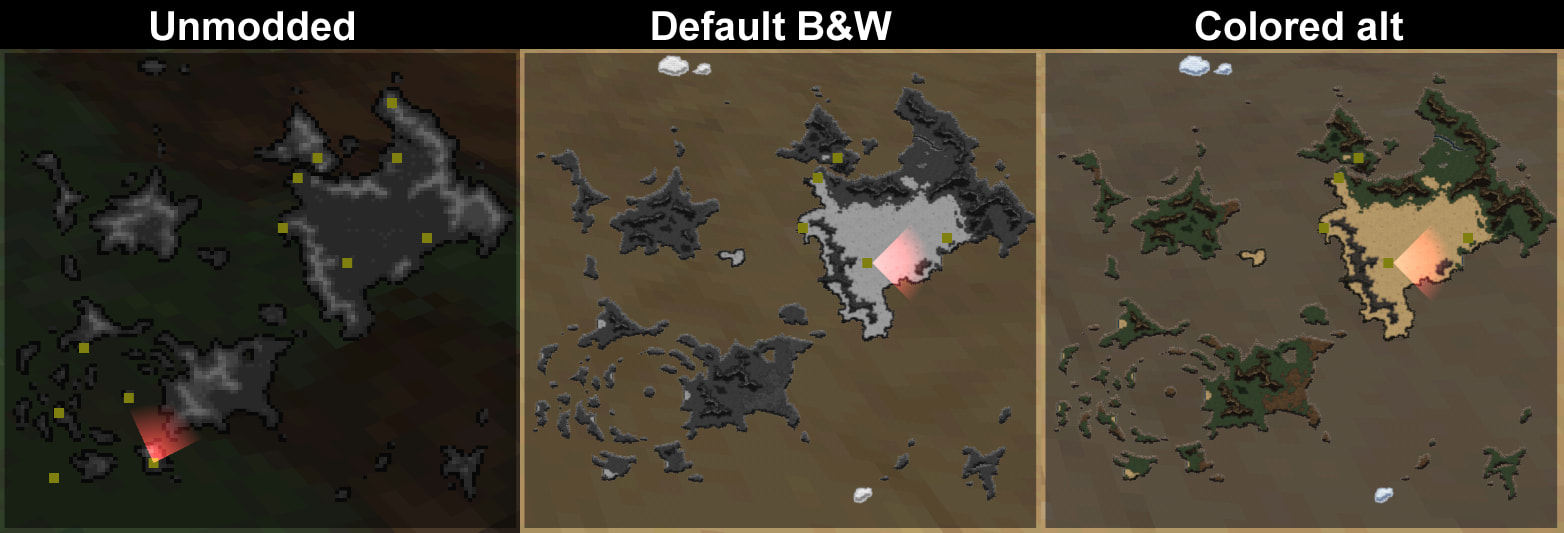
- Disc 1 & 2 maps (with alt colored versions; makes the area indicators harder to see though)
- Compass circle & NESW letters
- Memory Cube
Portraits
One note about settings:
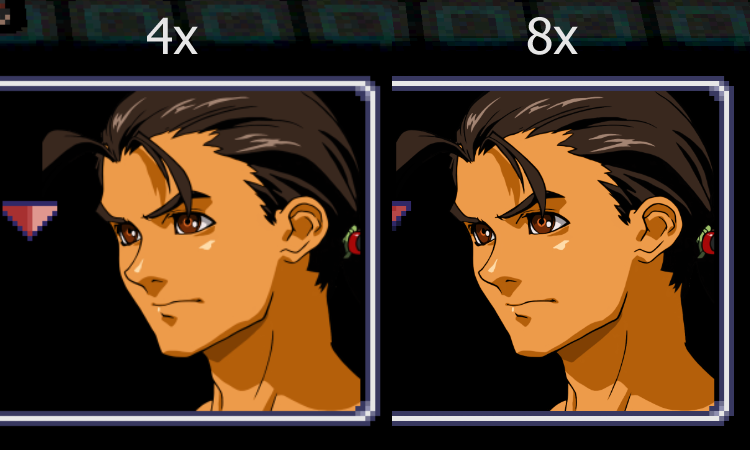
I primarily play with Internal GPU Resolution set at 4x, but 8x makes the portraits as clear as they can be, seen in these screenshots.
The difference in clarity between 4x and 8x is pretty imperceptible overall, but will be noticeably clearer in 8x for those with a keen eye for clarity and bigger screens, I suppose. Both look great though.
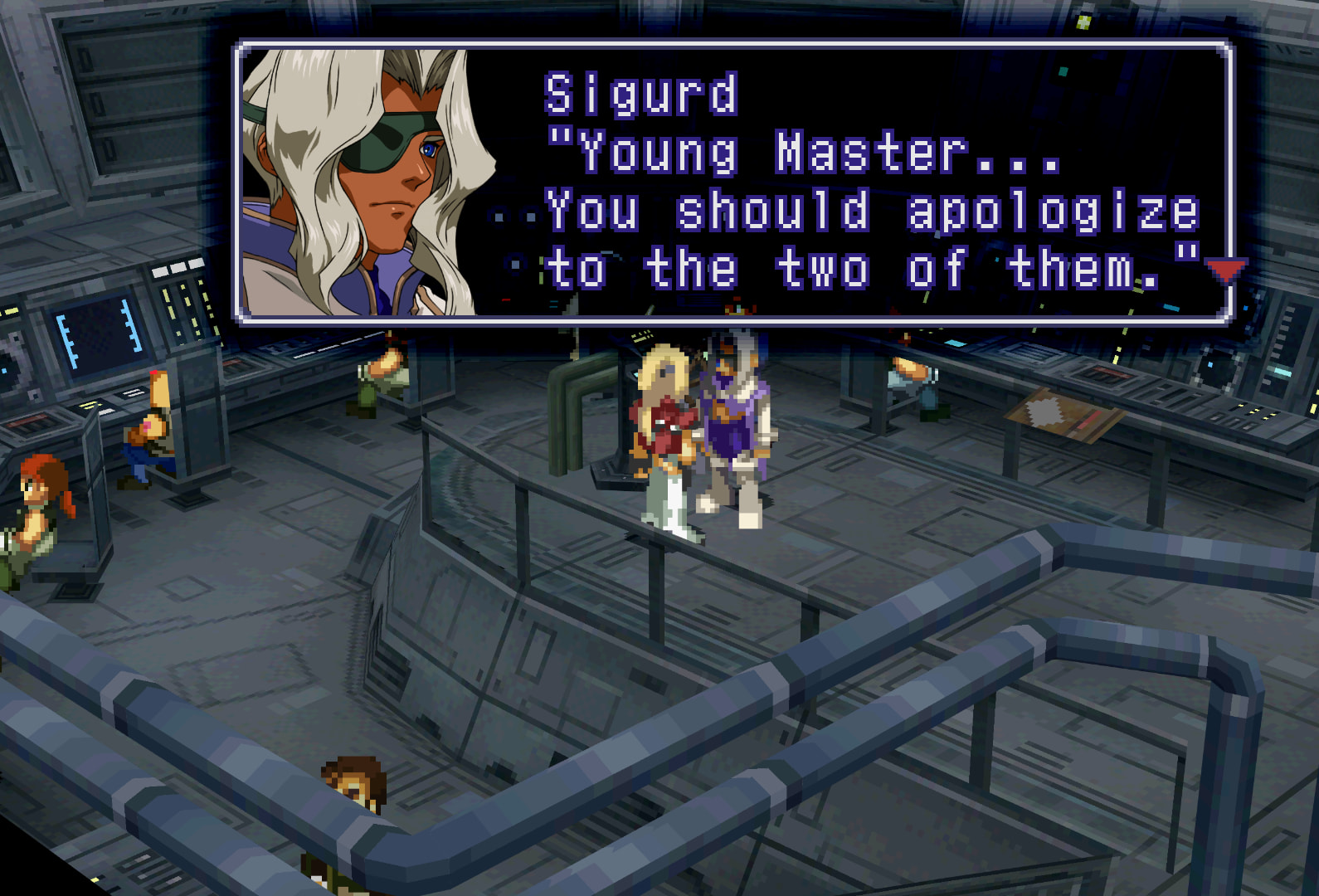
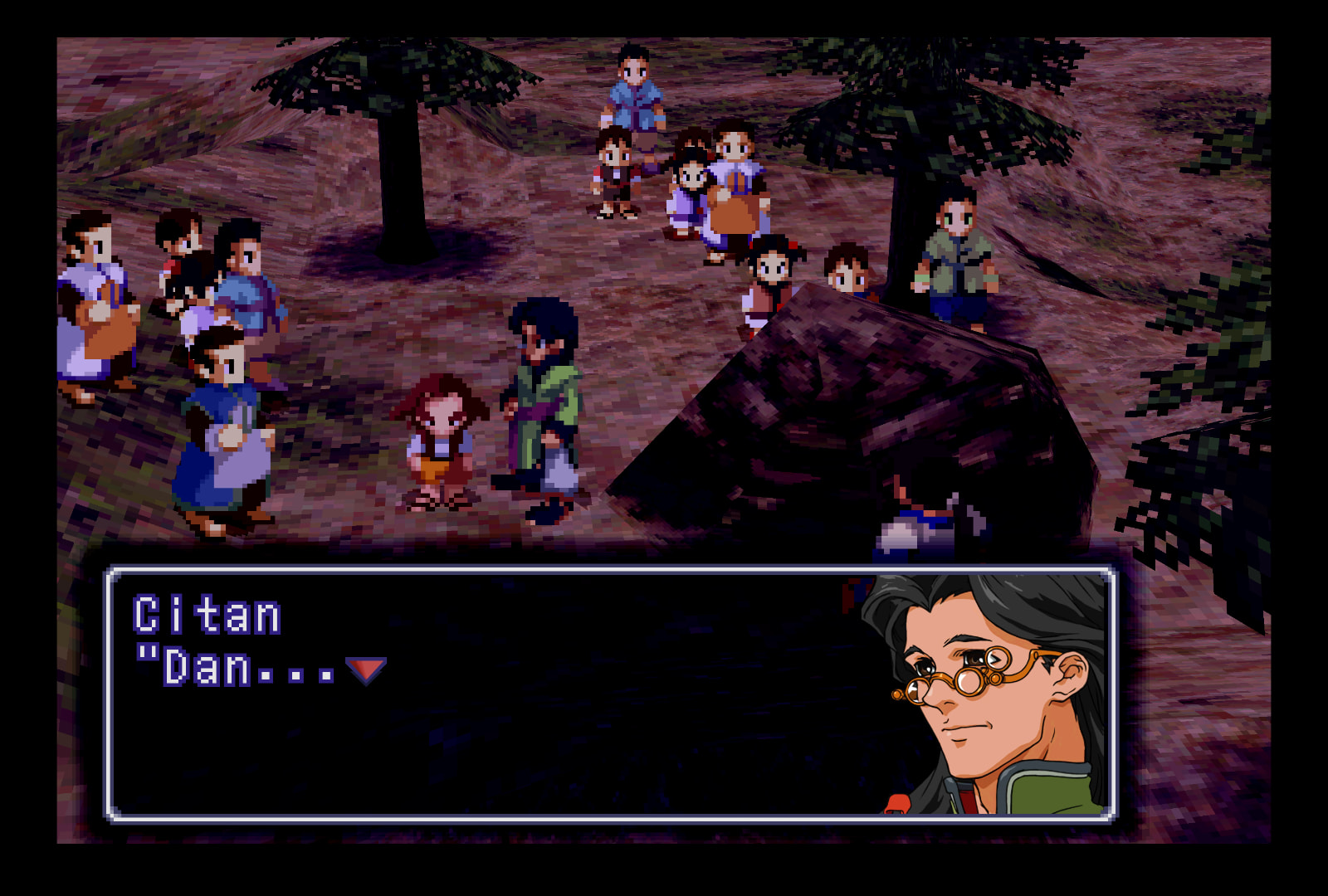
Alternate option: beta-style battle, save/load, & party select portraits
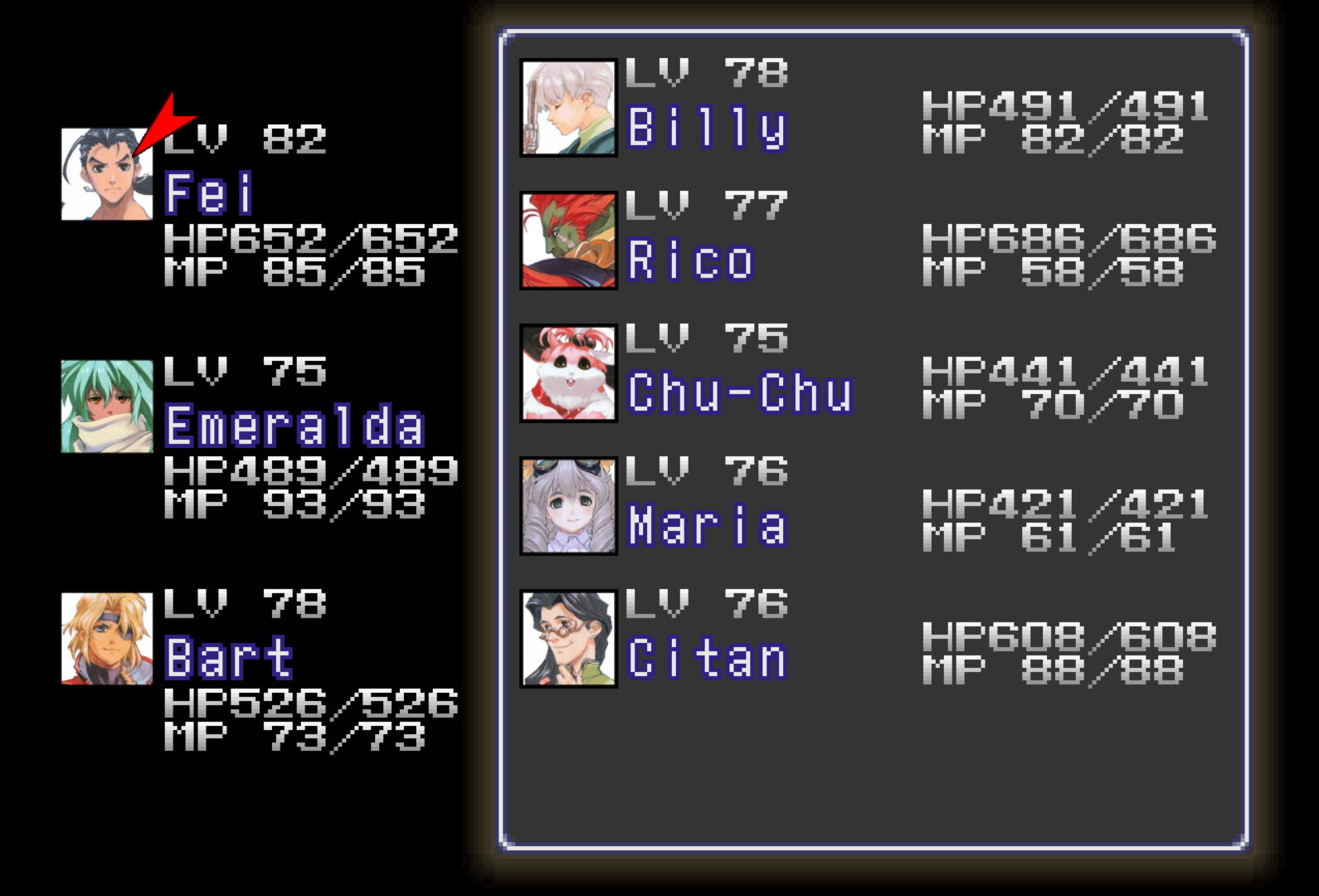
Save/Load screen
On-foot & Gear combat UI, unmodded vs modded
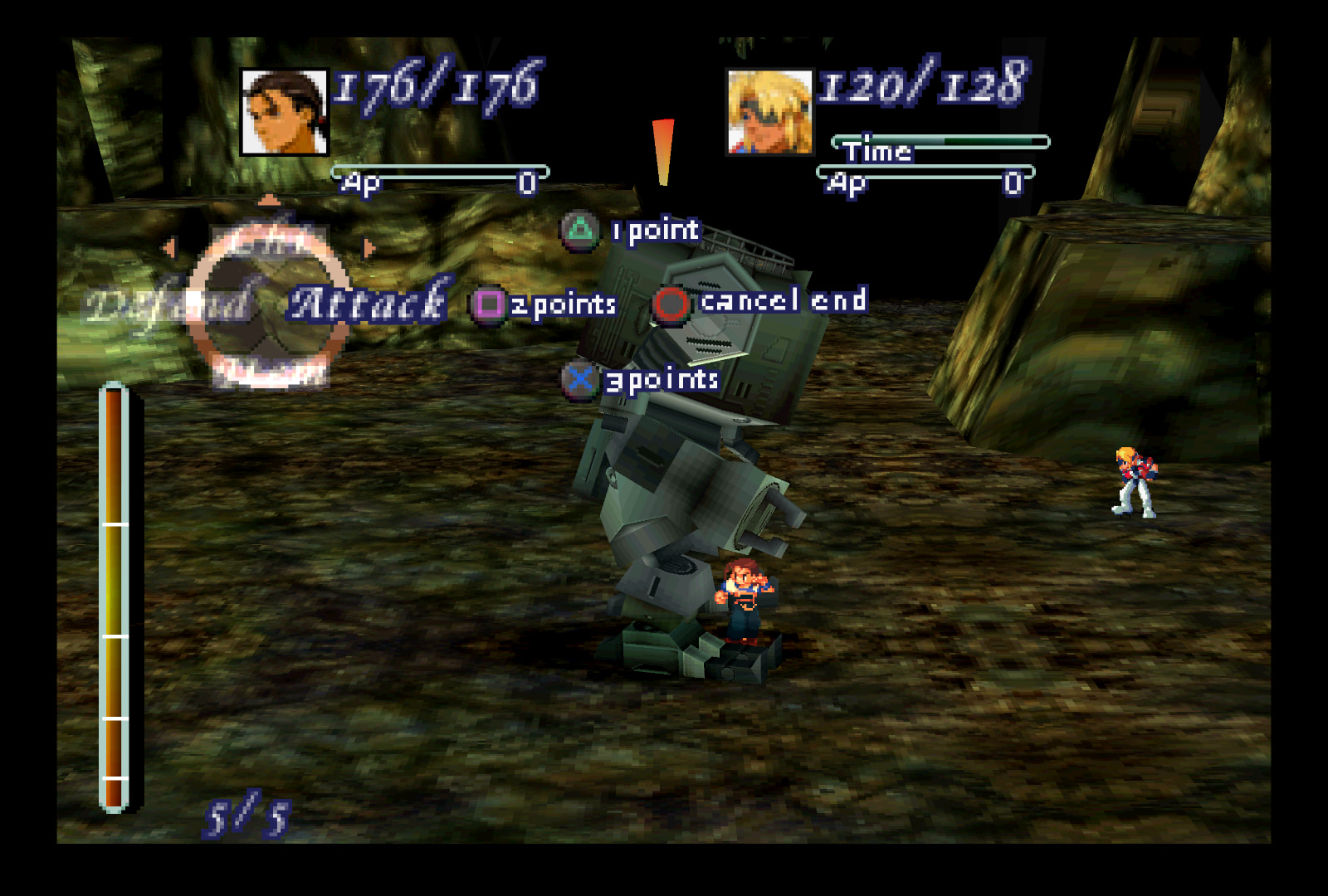
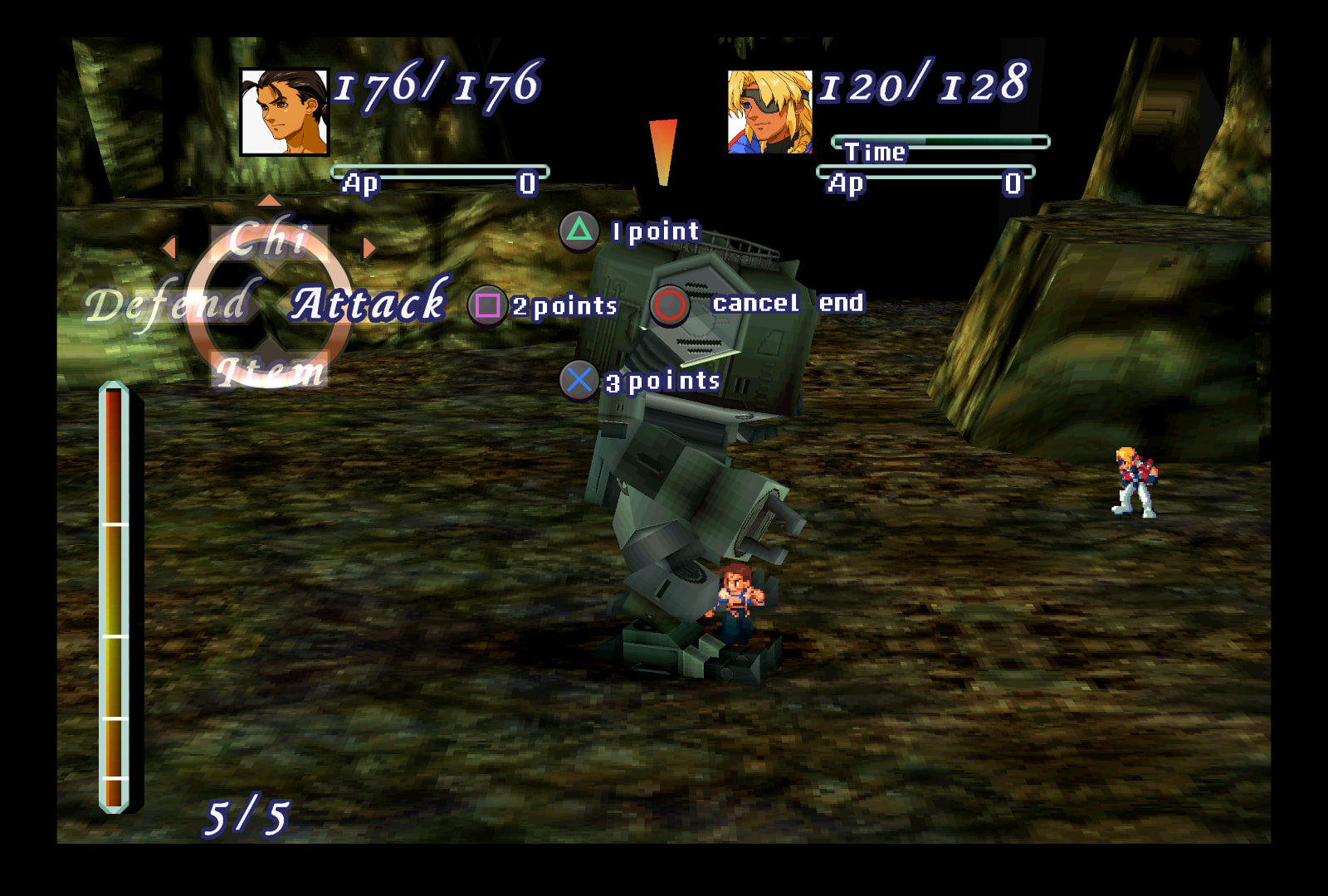
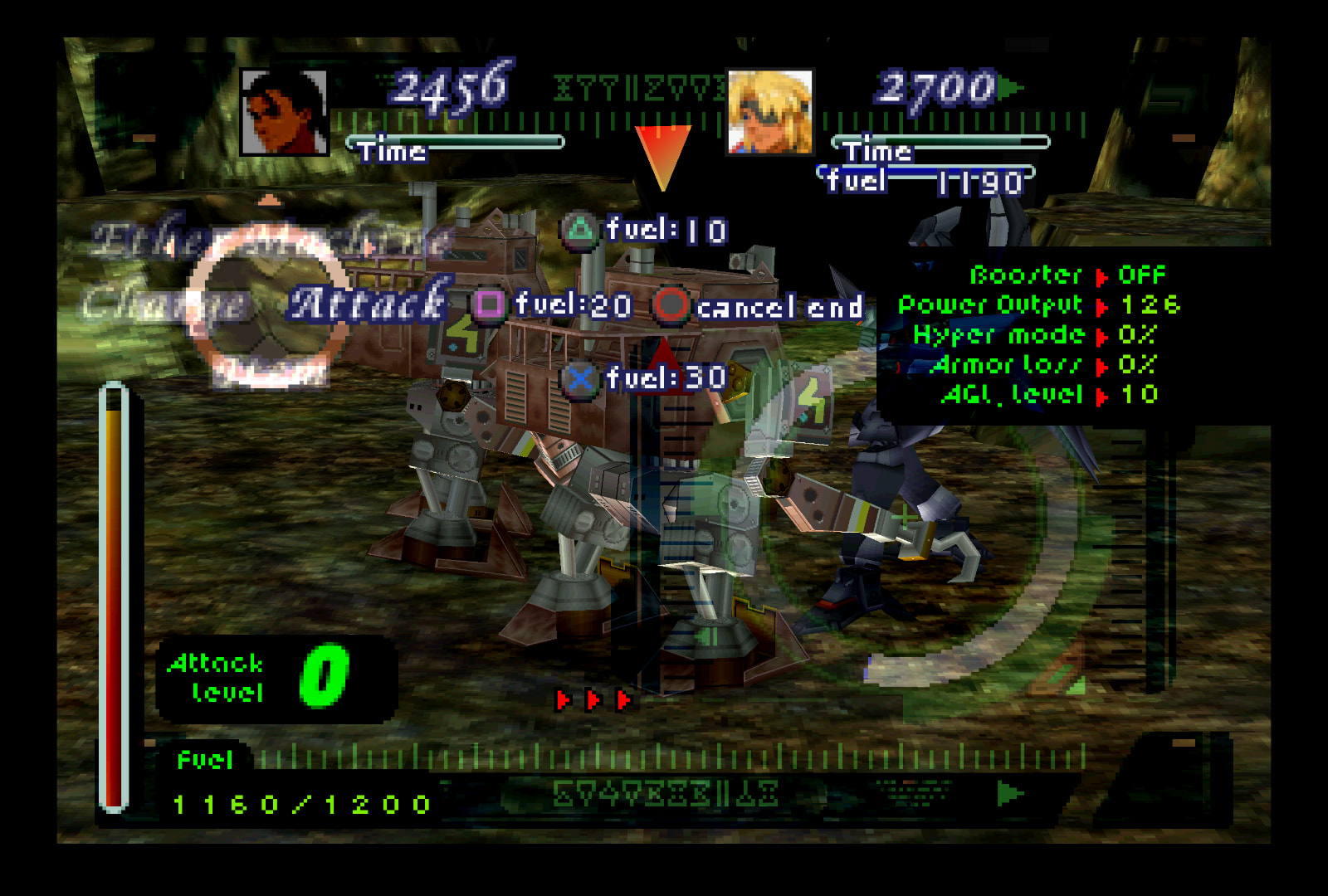
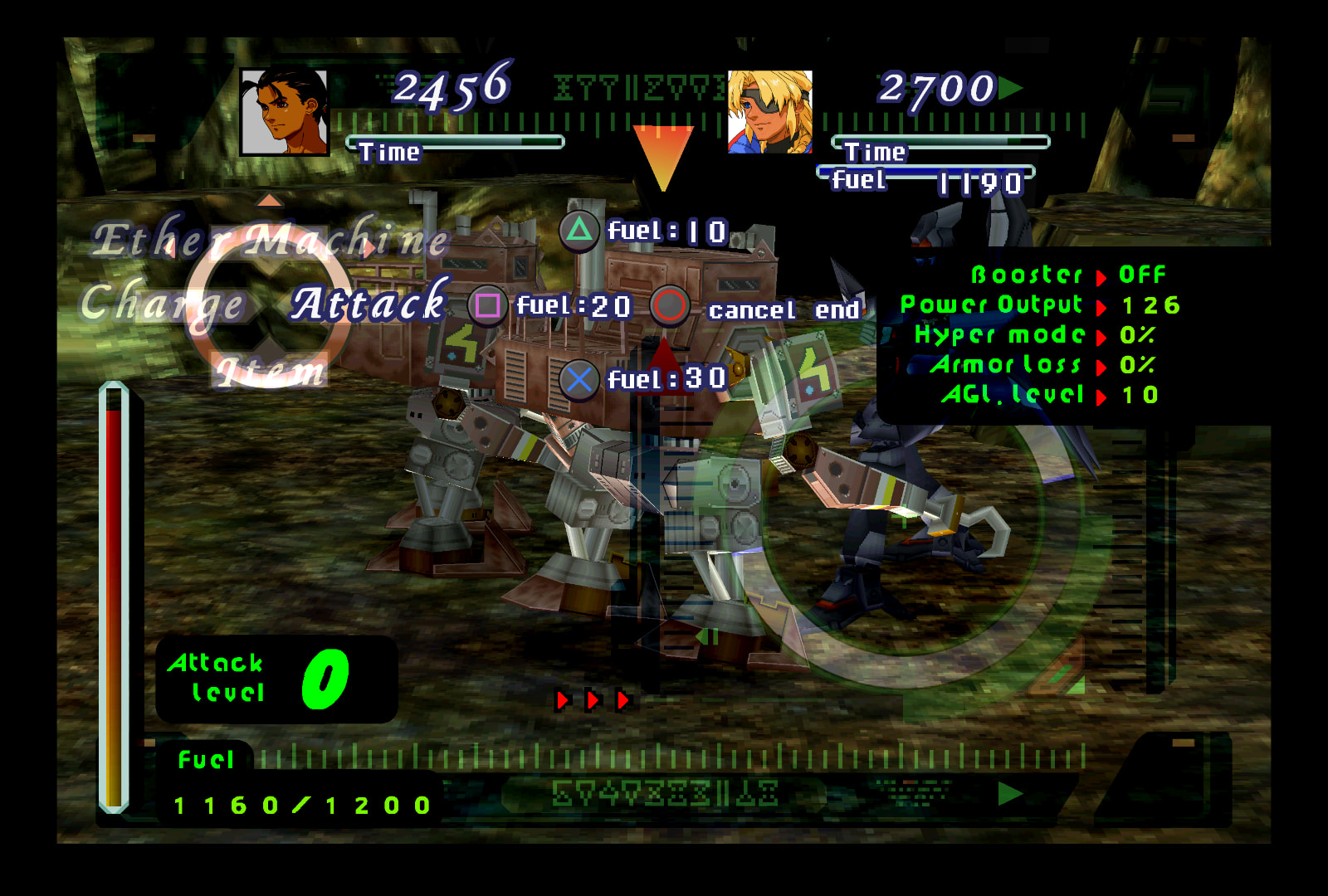
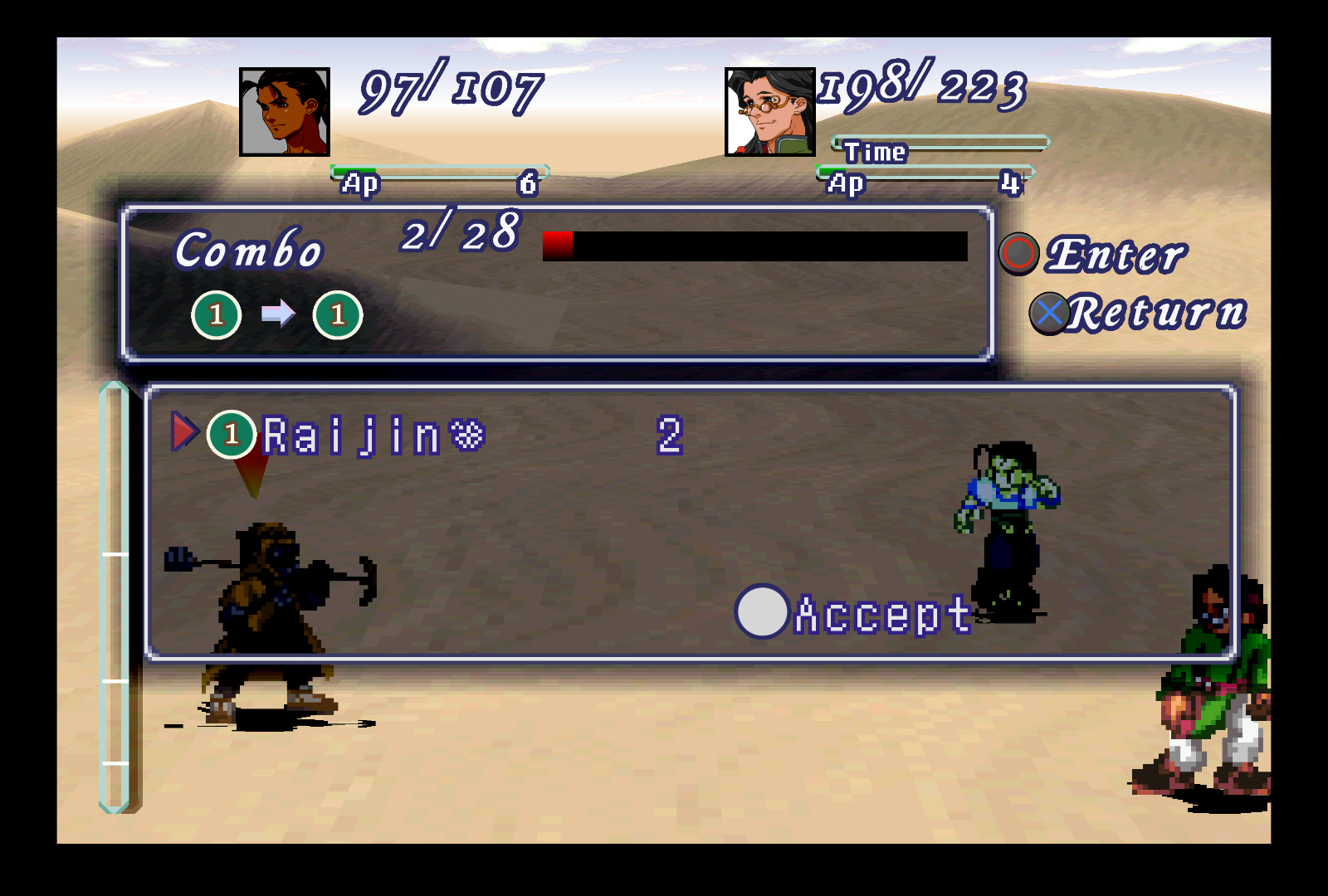
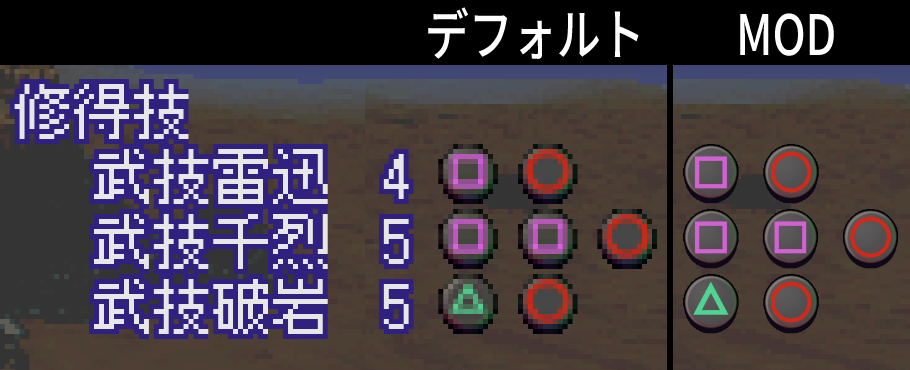
Combo menu
(Icon after “Raijin” is part of the PWB mod, nothing to do with this mod. I just needed quick screenshots.)
Menu & combat buttons
Maps [9]
Menu portraits & R1/L1/Walk/Gear icons[10], an alternate menu selection arrow, full compass, and the Memory Cube.
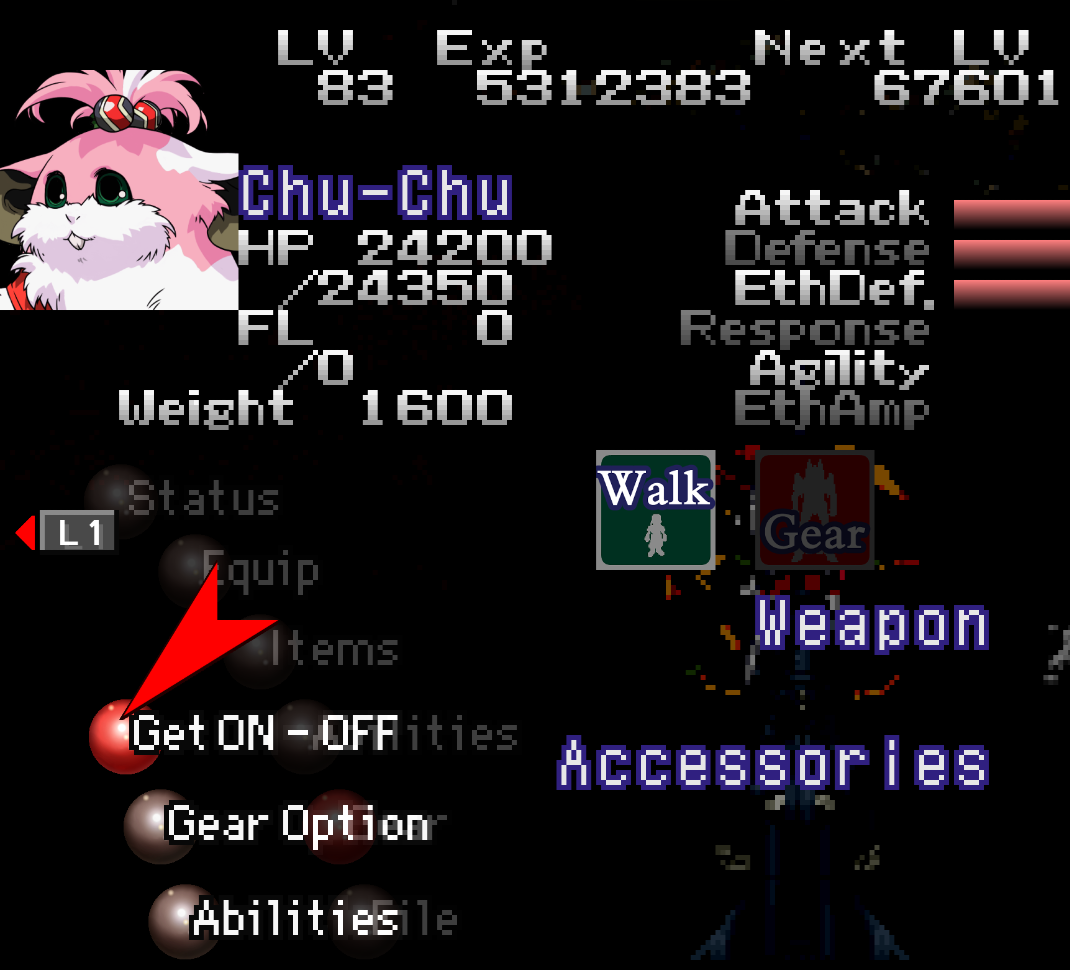
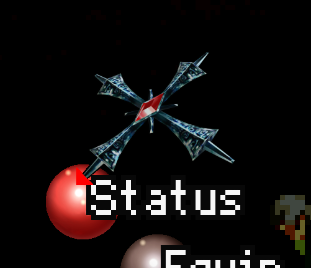
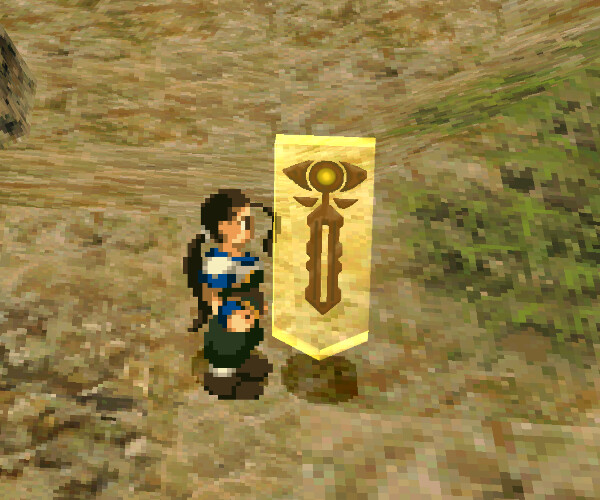
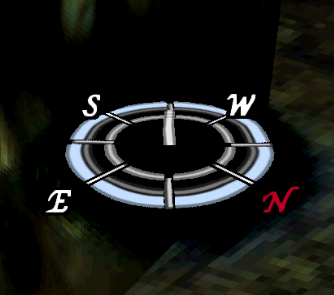
(almost
 looking at you, Bart’s men) ↩︎
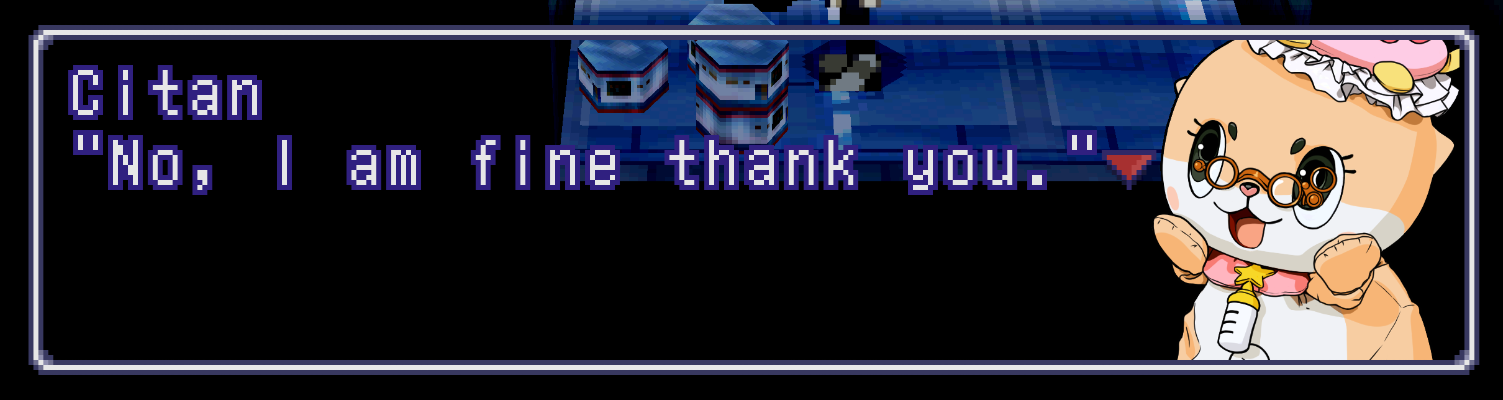
Some characters have portraits edited from their original artwork to match their in-game sprite versions (i.e. unsmiling Citan dialogue). All portraits that this applies to are referred to as the mod’s “defaults” and are the defaults in the main folder when you download it.
Some characters also have Perfect Works versions of their art portrait (i.e. light skinned Roni) that are referred to as the mod’s “PW alts”, as portraits like those are mainly only seen in the Perfect Works book. ↩︎As it is now, every character portrait needs like 10+ duplicates and its spotty in terms of whether it’ll actually work or not when loading into a 3D map. Seems like it fails to work initially until you leave the area and re-enter, I hear? (someone’s been testing it and telling me how it’s been looking recently.) ↩︎
and then will require extra work in manually renaming every single portrait file to get them working again. Don’t waste your time, just uncheck those options if you’re using both mods simultaneously. ↩︎
The PWB mod has been accommodated, whether you use the default English controls or the “JPN Controls” patch, this has been added to so that it should work seamlessly without any extra work on your end. ↩︎
This includes information such as how to set up .cue and .m3u files, swapping discs, renaming the texture folder, Retroarch settings and Beetle PSX HW Core settings to get the mod working, settings suggestions for making a cleaner looking and faster playing XG (YMMV), and settings to fix certain emulation issues Ive come across (freezing on fast-forward, crackling audio during 3D/effects-heavy cutscenes/gameplay, blank screen during Rico flashback, etc). ↩︎
With any new updates, delete your old “-texture-replacements” folder and replace with the new. ↩︎
Except the one used for Bart’s men in a couple Gear fights; there is no artwork equivalent and its much smaller than dialogue portraits that also have no artwork equivalent, like Stein. A lot of liberties would have to be made to attempt to draw that accurately. I would need some other reference to go off of. ↩︎
Both disc 1 and disc 2 maps. Disc 1 featured here. ↩︎
Compass circle cannot be changed as it does not dump correctly. ↩︎



 . Its PWB 0.4.6, the latest version. Under their version notes there’s “Rogue pixels on facesets have been fixed outside of the portrait mod.”