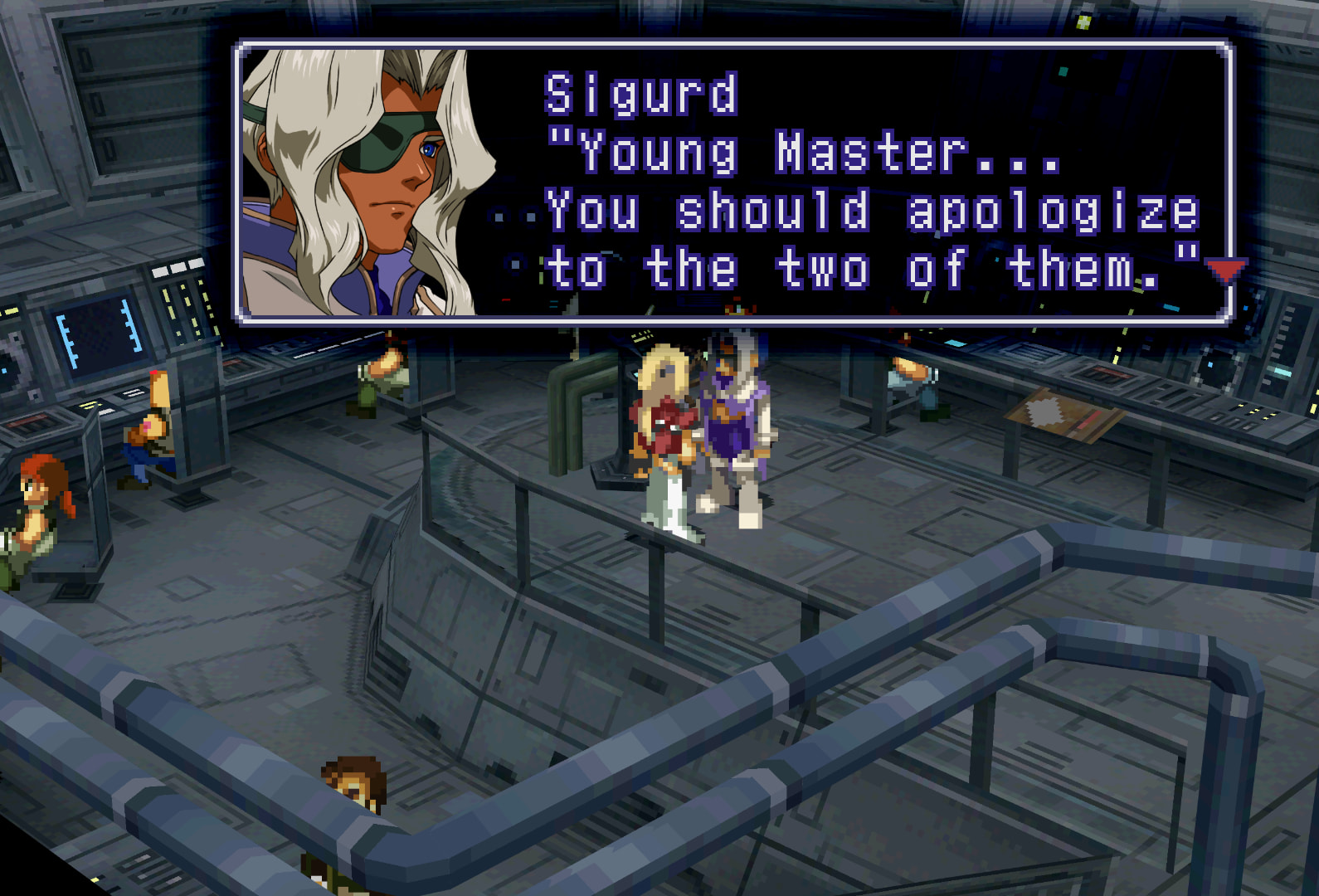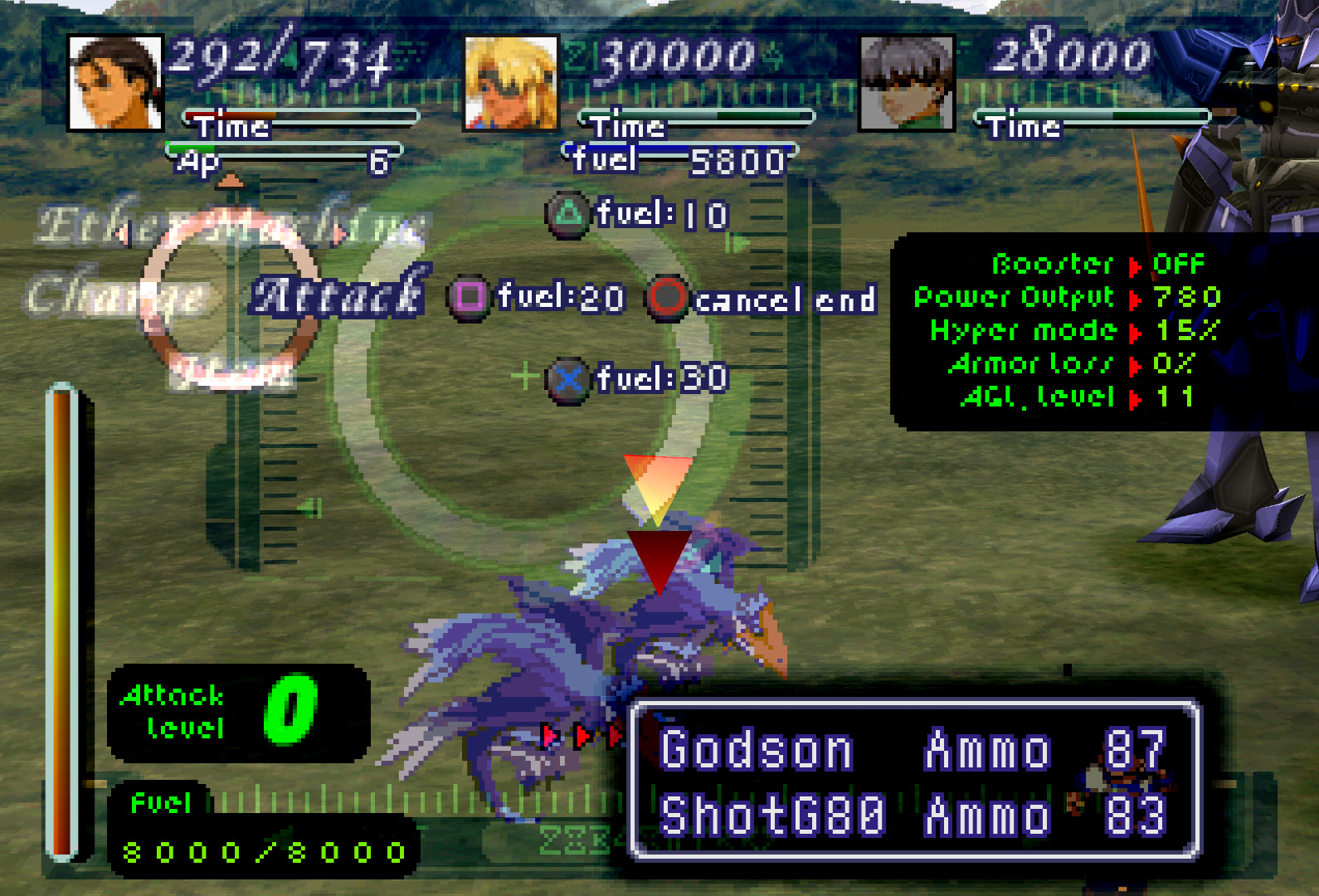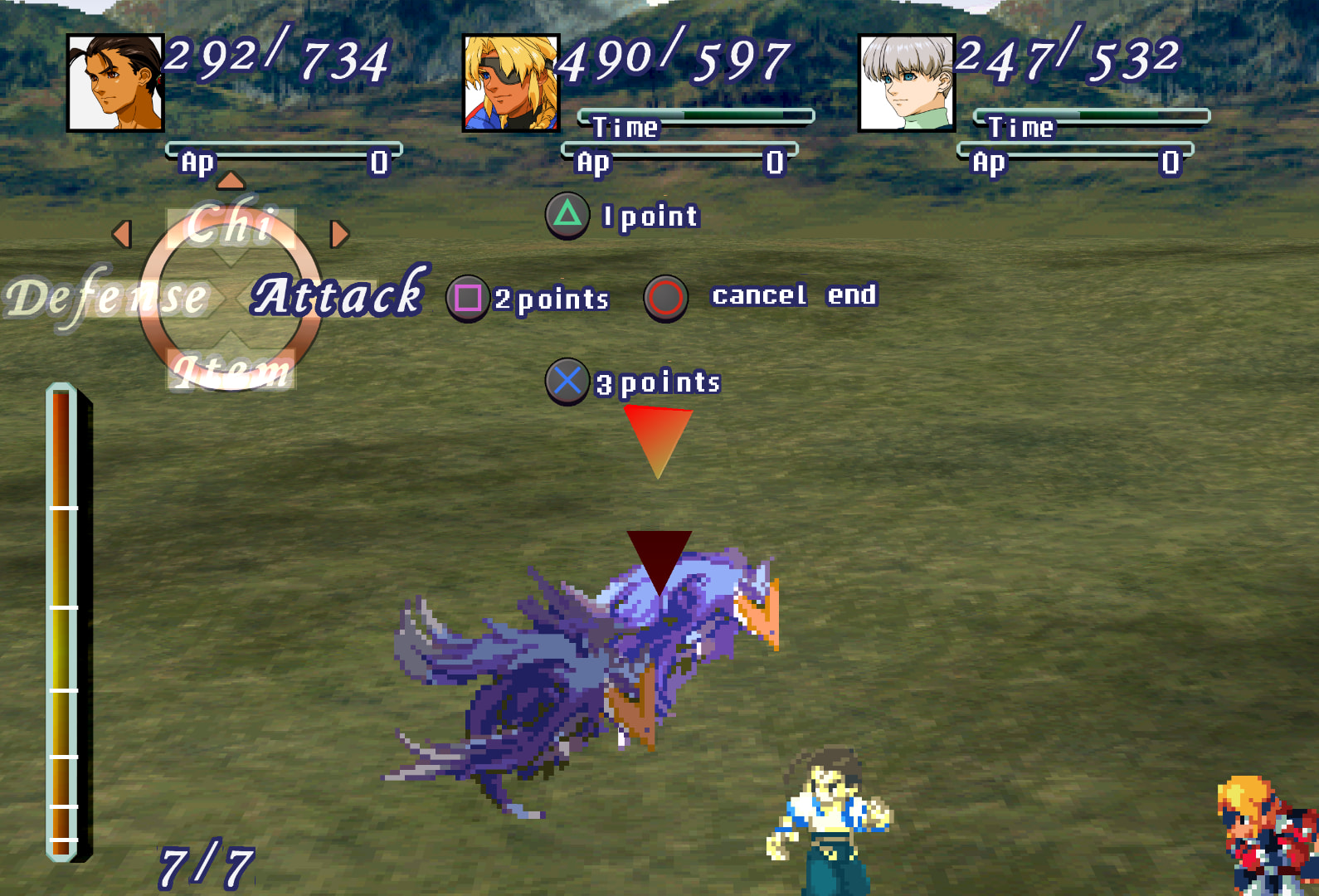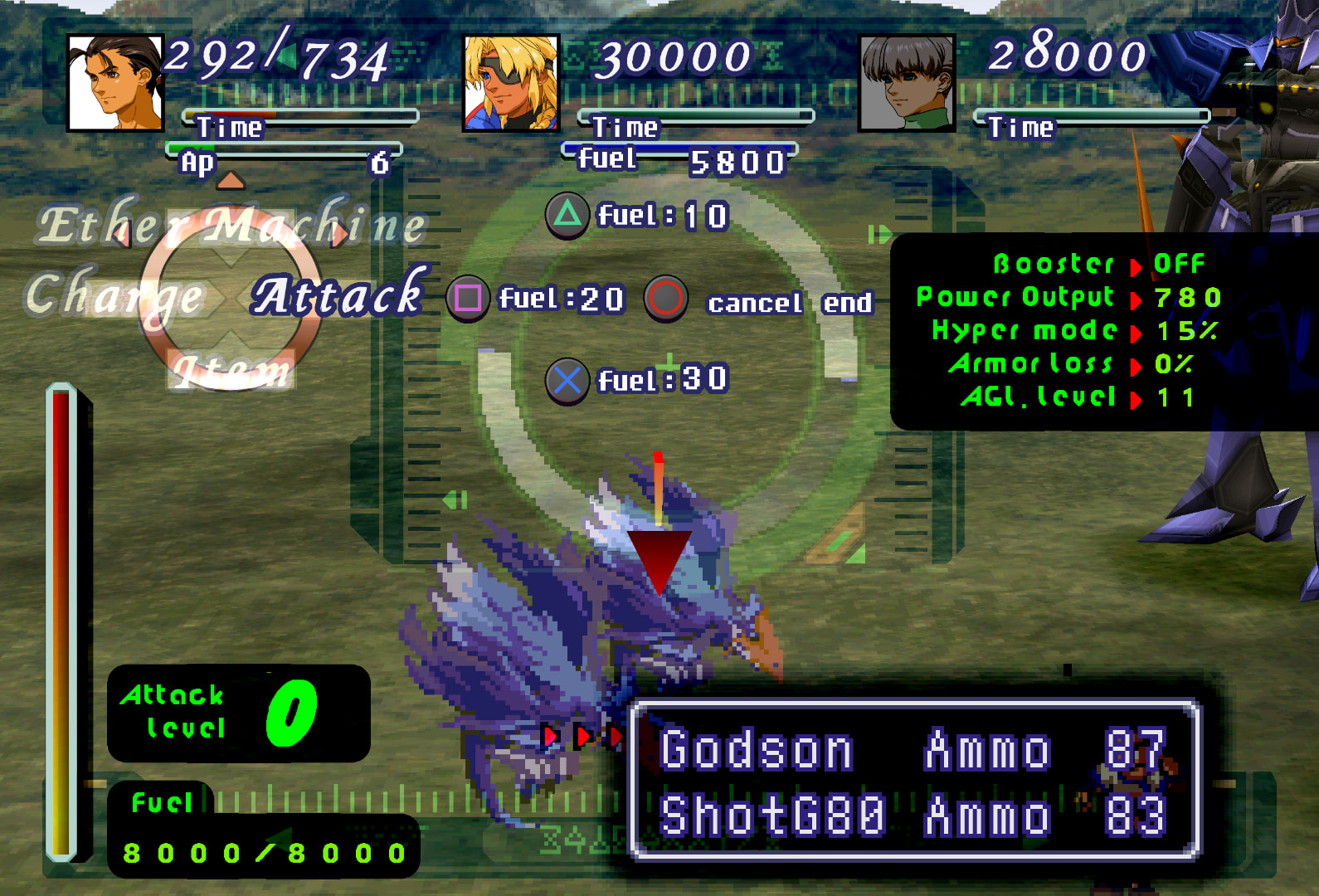
Xenogears Perfect ART Works (PAW) Retroarch Texture Pack

Latest version update yap

Over 4 years of work.
With all the newly preserved GamePro CD portraits who knows what percent my work is at now. ~35 portraits to go. Perhaps 1.9 will be the final? :thinking:

1.7 has been updated with a ton of newly cleaned up portraits and newer versions of the Deathblow icons as well as menu marbles and the red selection “arrow”. 1.7 is also the first version to be made specifically for Xenogears’ native resolution (NOT 4:3), so they are not stretched in any way to compensate like they had to be in 4:3.

Some portraits aren’t completely finished. Until I say it’s complete, the mod is a work in progress and I haven’t abandoned it.
Unless I’ve keeled over. In which case, I nominate Siris to continue my work.
You’ll know I’ve died if I stop Xenogears yapping on Bluesky.

Feel free to DM me anywhere if you have any issues setting up the mod. AFTER reading the instructions, please. I’ve spent a lot of time on them, they answer a lot of the most basic setup questions.


This is a portrait/UI texture mod for Xenogears using Retroarch’s Beetle PSX HW core real-time texture replacement option.​

There are separate versions of the mod for both the English and Japanese versions of the game.

これはRetroarchの「Beetle PSX HW」テクスチャ置換オプションを使用した、ゼノギアス向けテクスチャMODです。

英語版と日本語版のMODがある。

(Mouse over “[1]”, “[2]”, “[3]”, etc for additional info.)

Some initial notes:

  • :double_exclamation_mark: It requires the Vulkan driver, so make sure your graphics card supports it.​

  • :red_exclamation_mark: Duckstation does not have a * reliably working * equivalent to Retroarch’s texture replacement; please let me know if their texture dumping and replacement ever improves. [1] Overall, at the moment, it’s very messy.​

  • :warning: :double_exclamation_mark: If you use this alongside a “Perfect Works Build” patched rom, do not select the “Face fixes (resize)”, “Face fixes (normal)”, or “PW Roni” patches. All of these things are fixed/changeable with texture replacement, but will break texture replacement if selected and then will require extra work in manually renaming every single portrait file to get them working again. Don’t waste your time, just uncheck those options if you’re using both mods simultaneously.

  • :video_game: It works on Steam Deck, but don’t ask me for details in setting that up, I don’t own one :sweat_smile:

  • :desktop_computer: Being a real-time texture replacer, it should work with any English version of XG, both base-game and modded/patched. Any fan-translated patch using the US version as a base should also display correctly, so long as it does not alter the portraits.
    There’s a separate version for the Japanese version of the game. It may need some editing still with other characters’ UI (“Ether”/“Spells”/“Arcane”/etc) but for the most part its good to go in terms of battle UI. Let me know if you find any errors.

  • :open_book: I recommend reading the instructions txt files I included in the ZIP file.[2]

  • :warning: Spoiler-free screenshots are at the bottom of this post, any potentially spoilery screenshots will be blurred. In the next post of this thread here under an expandable arrow I’ll go over the portraits in more detail; those will of course be spoiler-heavy.


Mod Introduction

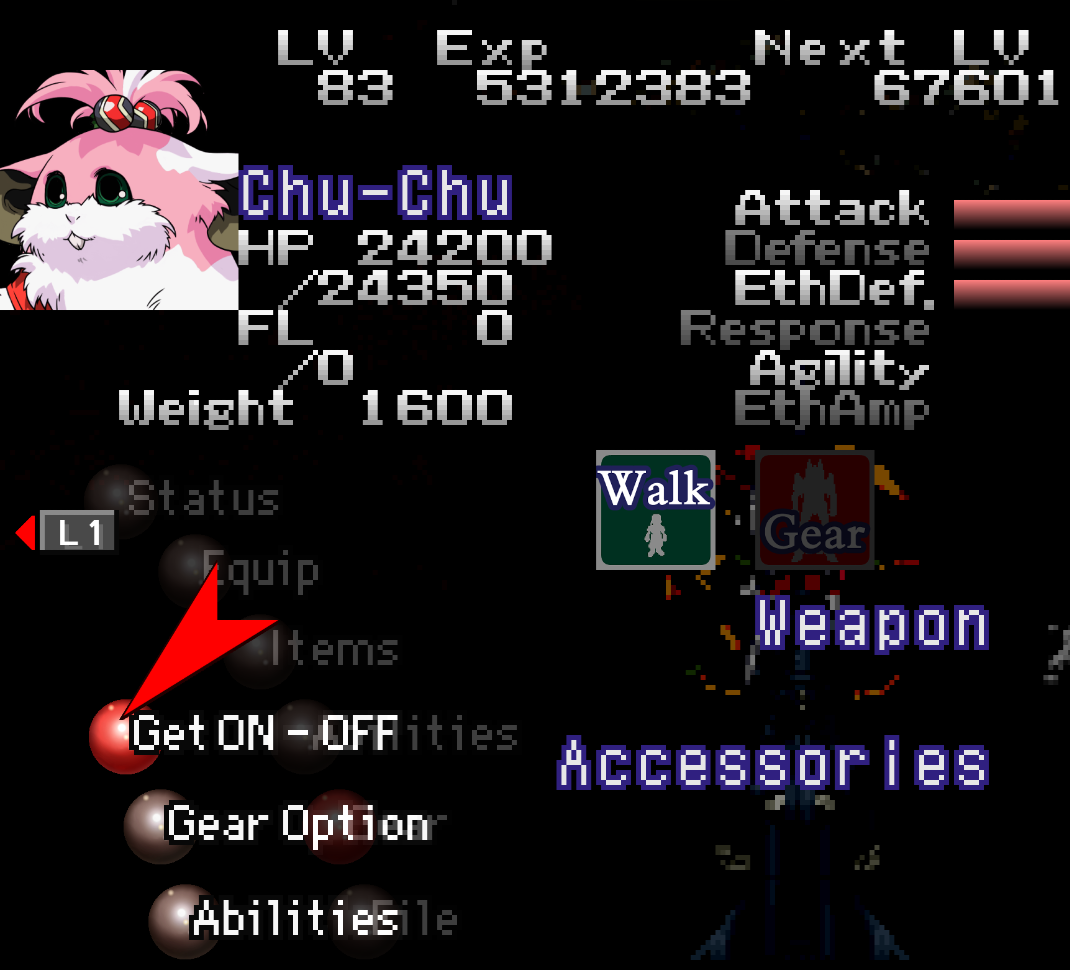
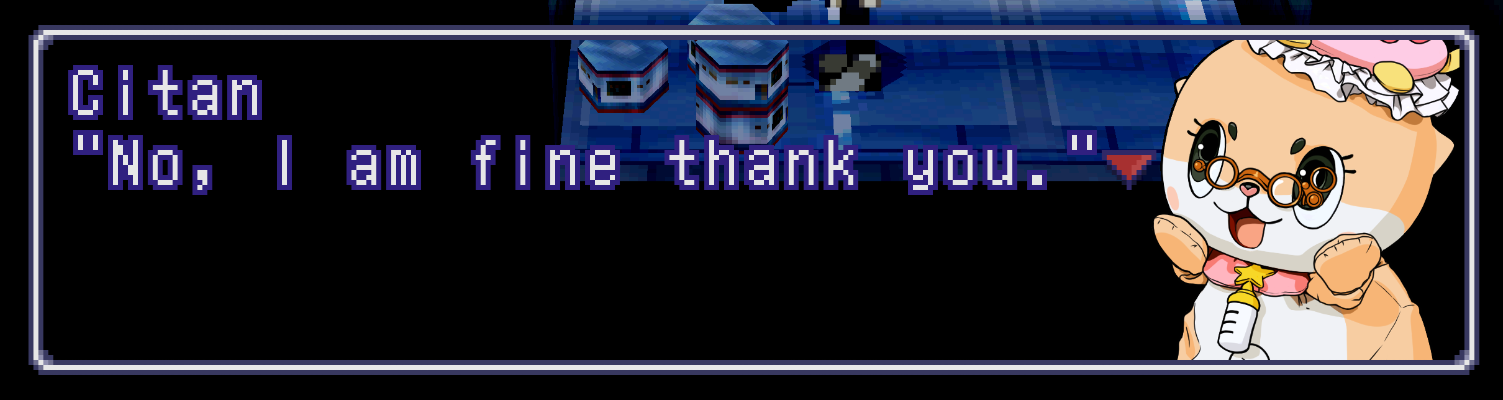
This mod replaces every single character dialogue portrait, menu portrait, & every [3] battle portrait with their artwork equivalents. Each are cleaned up by hand or recreated by hand from scratch when there is no artwork equivalent.

There are what I refer to as “default” & “alt” (alternate) versions of portraits and UI elements.[4]

There are also non-canon alt portraits for various characters, just for fun.
Details on how to go about changing between default and alt textures can be found in one of the instruction files included in the ZIP.

It also replaces certain UI elements while keeping it true to the original look of the game; primarily to make it look cleaner and be easier on the eyes when playing on modern screens.

If there is anything you don’t like about it, like certain aspects of the UI, you can locate & remove/delete that file from the folder. Everything is optional.
image


Downloads [5]

PAW 1.7 English

PAW 1.7 Japanese

:warning: If you’re using this for your first time playing through the game and don’t want to be spoiled be aware that a single glance through the folder or alternate portraits folders can quickly spoil you. There is one portrait in particular that will stand out, whether or not you’re familiar with the characters. It just so happens to also be one of the biggest spoilers in the game.


(〜 ̄▽ ̄)〜


Changes made:

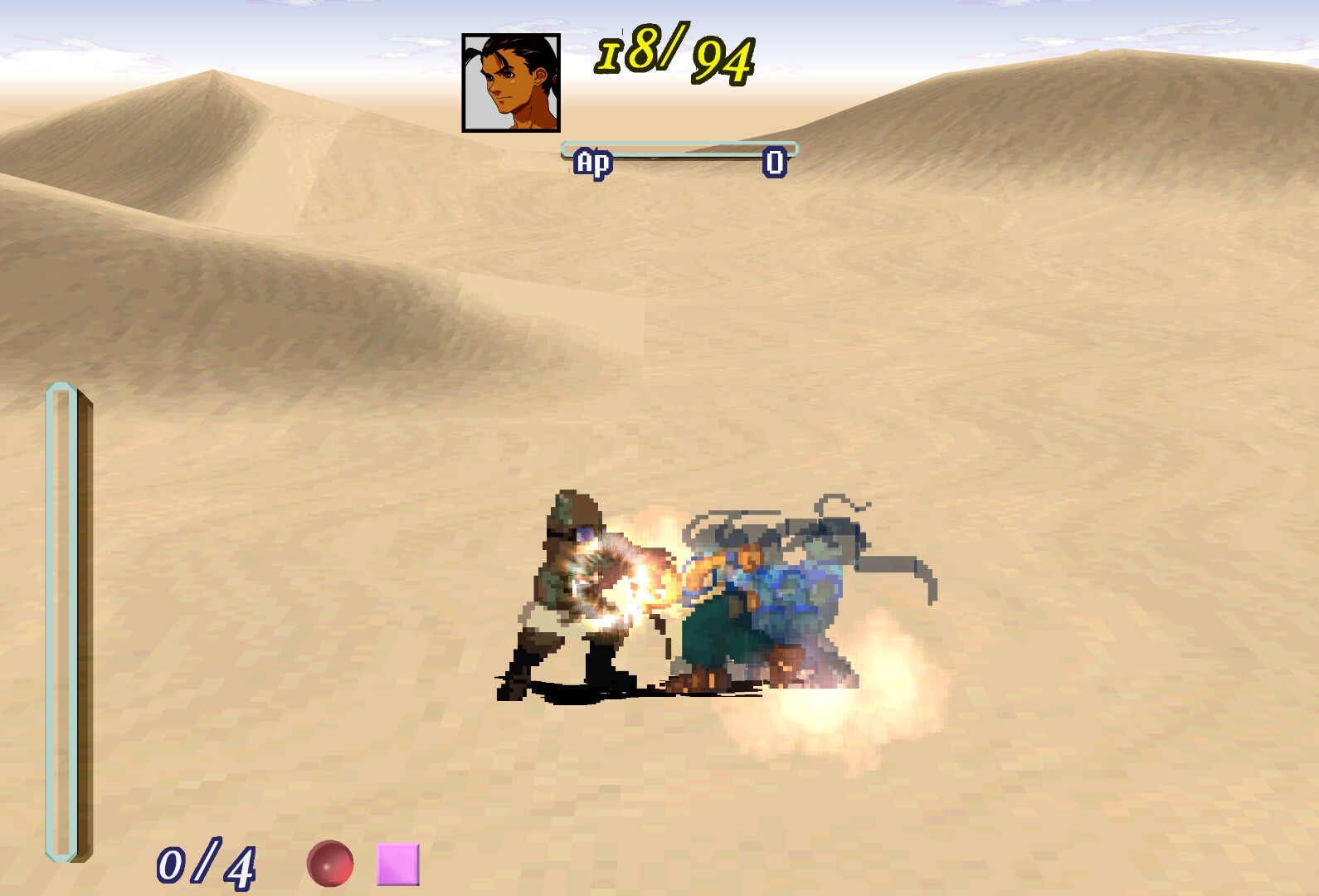
General battle UI and on-foot-specific battle UI:
  • Battle portraits [6]
  • Circular battle palette, battle palette text, tags behind said text
  • Purple/white misc text: “Combo”, “Return”, “Enter”, “Miss”, “EP”
  • HP/DMG/heal/AP numbers
  • HP/AP bars
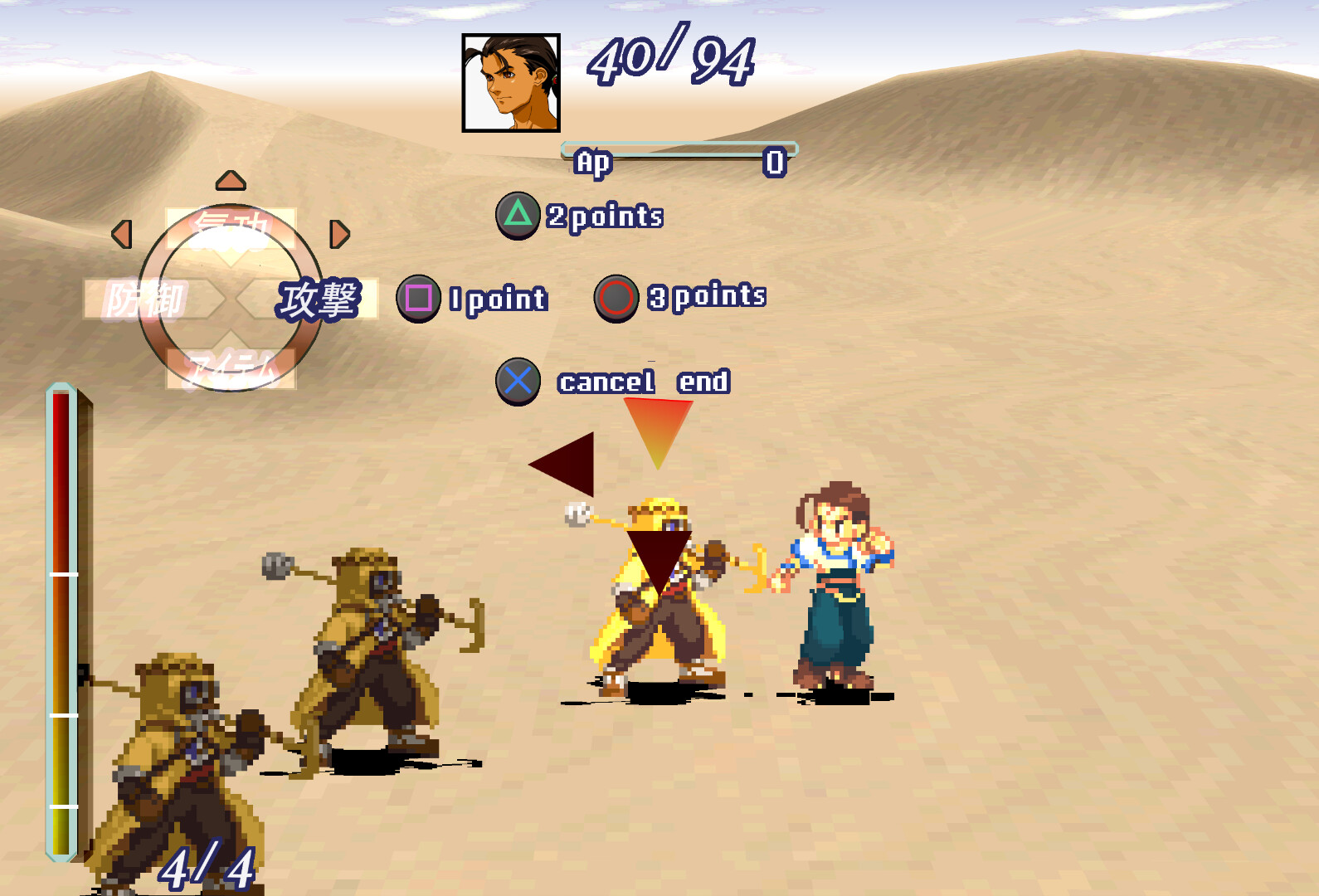
  • “Time”, “fuel”, “total damage”, AP numbers, “1(/2/3) point(s)”, “cancel end”
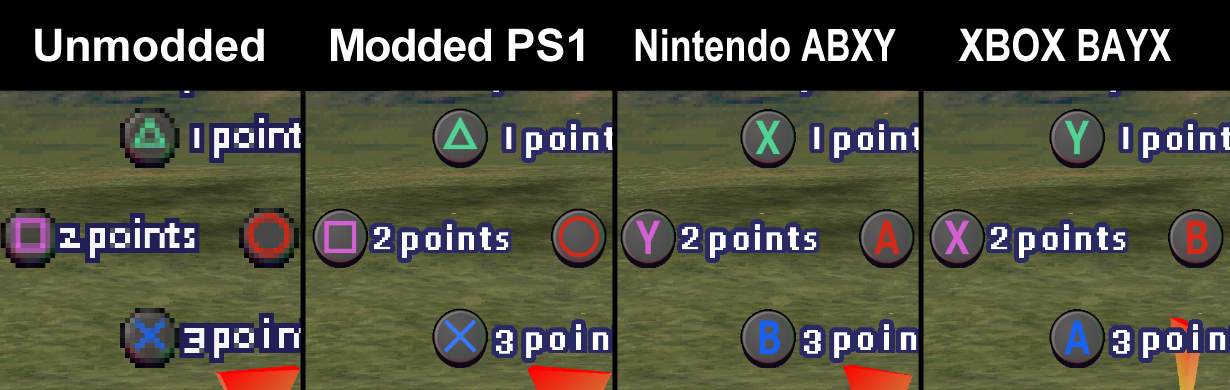
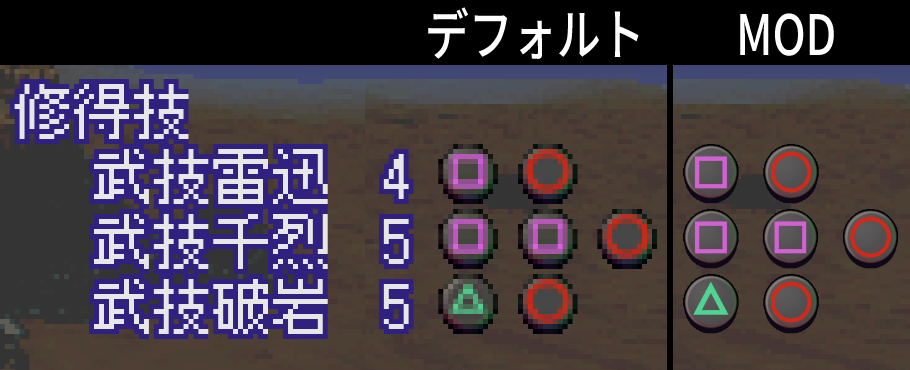
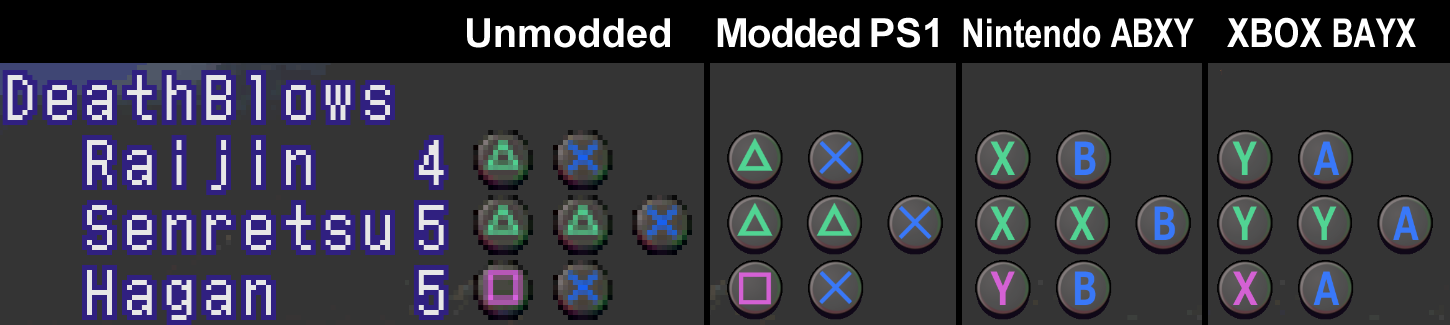
  • ▲ ■ ● X button DeathBlow icons (includes an alt texture for a Nintendo ABXY button layout and one for an XBOX BAYX button layout)
  • Bottom screen mid-DeathBlow ▲ ■ X icons [7]
  • Combo 1-7 & Accept icons
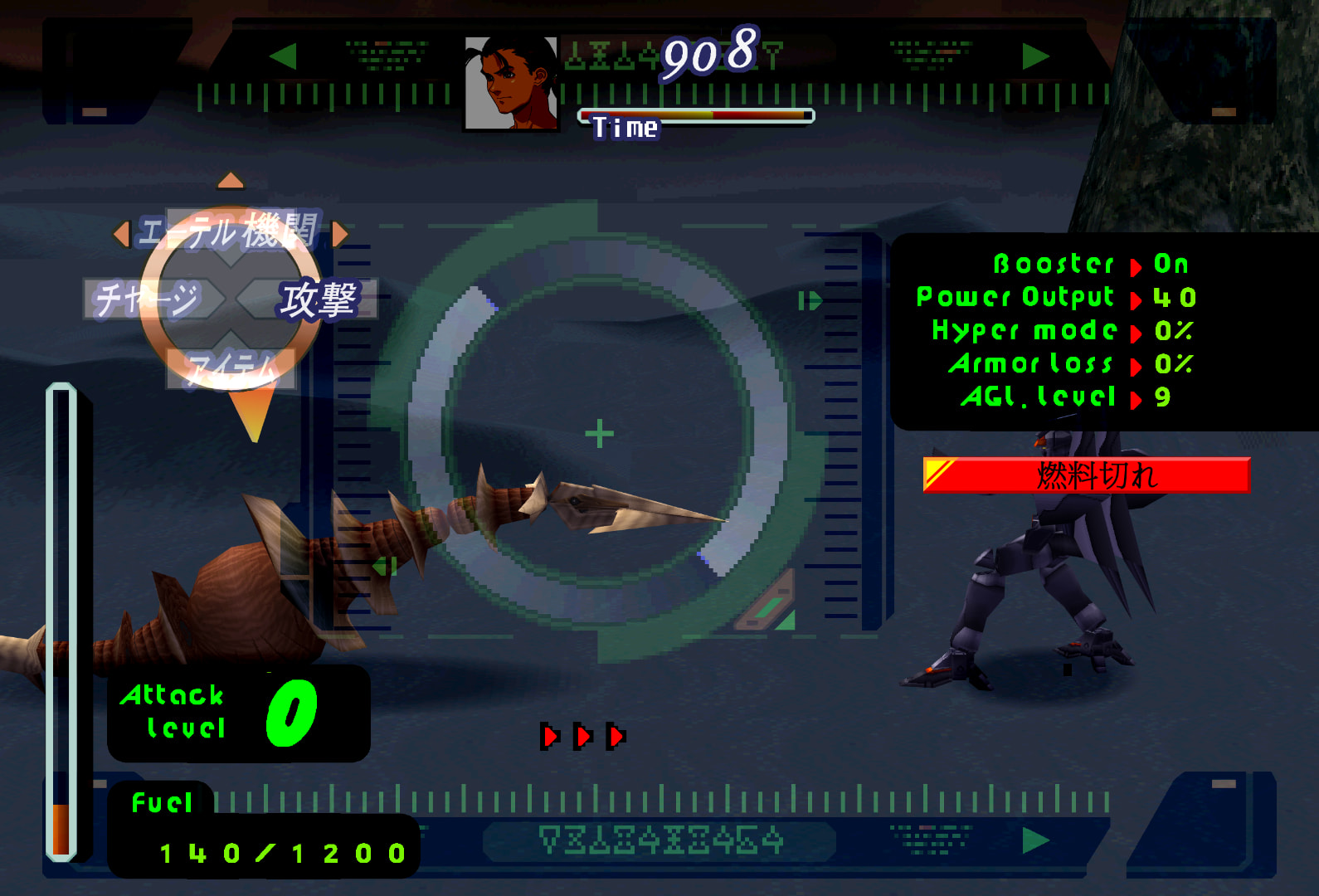
Gear battle UI:
  • “fuel” & fuel numbers
  • “Fuel” popup (when using boost)
  • Fuel bars (top and left)
  • All green text/numbers
  • Attack level numbers & ∞
  • “power shut down”, “camera damaged”, “out of fuel”, etc, statuses
  • Background UI elements: Black Gear menu backgrounds, top & bottom borders and their runes, triple red triangles, Gear “lock-on” UI [8]
All other changes:
  • All dialogue portraits
  • All menu portraits
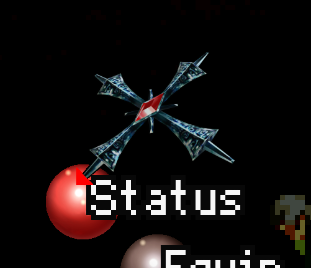
  • Red menu selection triangle
  • All instances of red/purple selection diamonds, both horizontal & vertical
  • Red/grey spheres (in the menu/loading screen)
  • ▲ ■ ● X button DeathBlow menu icons (includes an alt texture for a Nintendo ABXY button layout and one for an XBOX BAYX button layout)
  • Walk/Gear icons
  • Load/save screen: “CARD 1”/“2” text, memory card icon, load/save bar/text
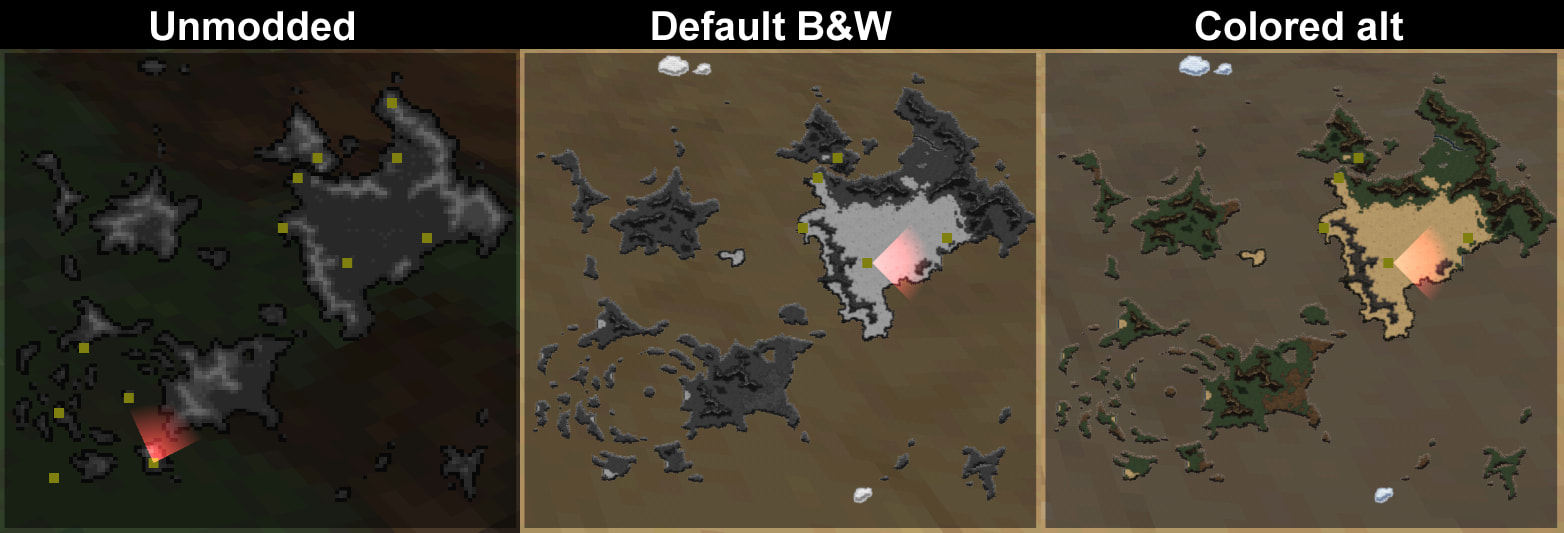
  • Disc 1 & 2 maps (with alt colored versions; makes the area indicators harder to see though)
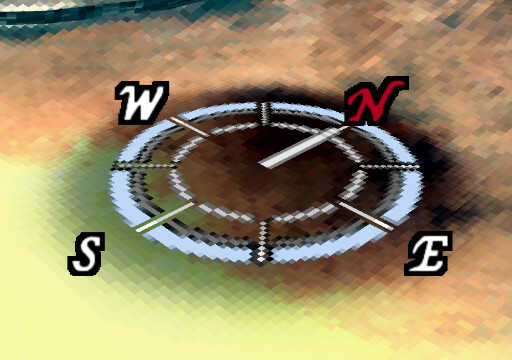
  • NESW compass letters [9]

Screenshots​

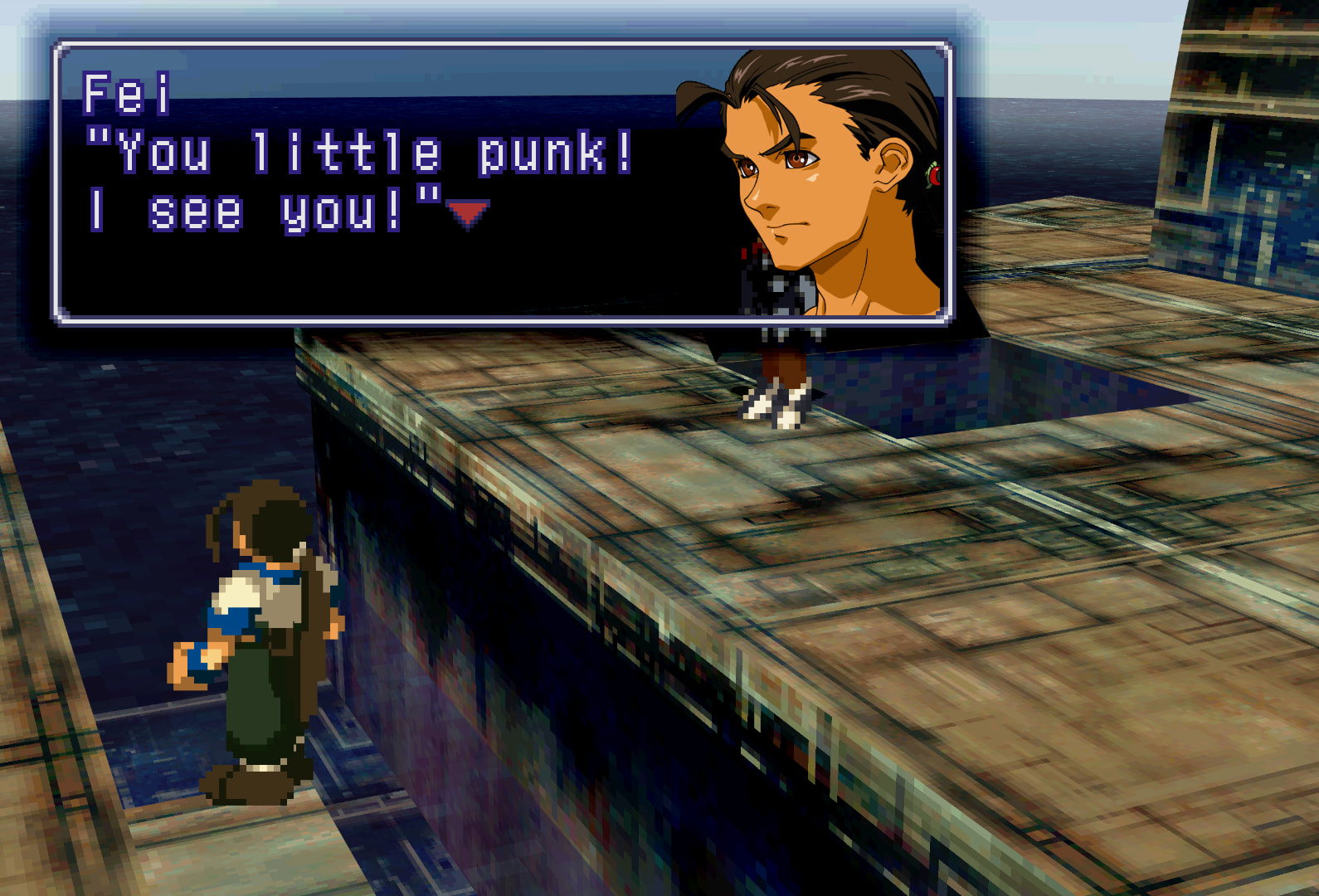
Portraits:

One note about settings:

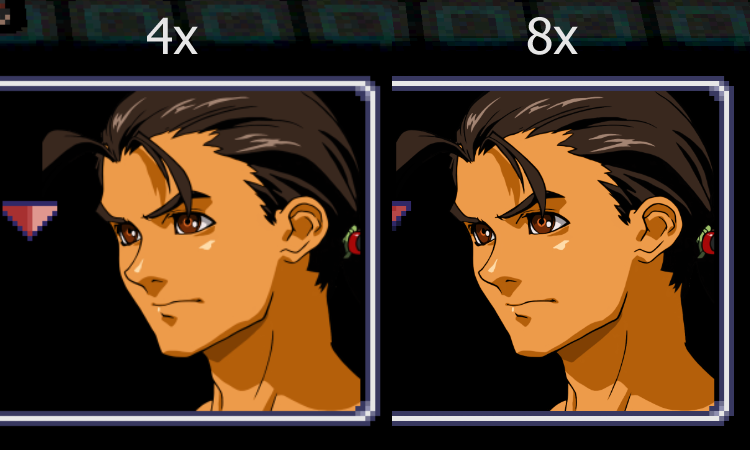
I primarily play with Internal GPU Resolution set at 4x, but 8x makes the portraits as clear as they can be, seen in these screenshots.
The difference in clarity between 4x and 8x is pretty imperceptible overall, but will be noticeably clearer in 8x for those with a keen eye for clarity and bigger screens, I suppose. Both look great though.
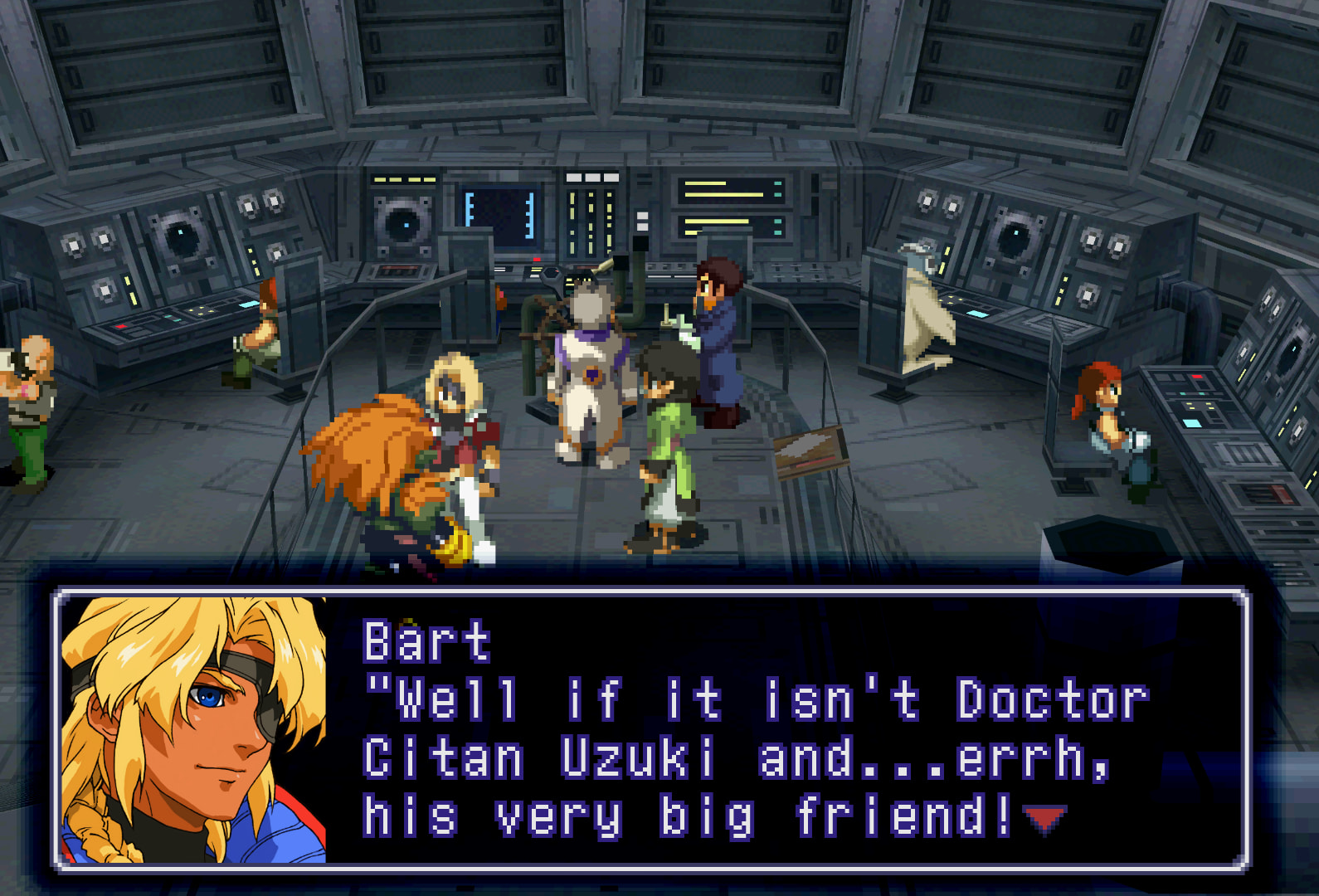
Alternate beta-style battle/save-load/party select portraits:
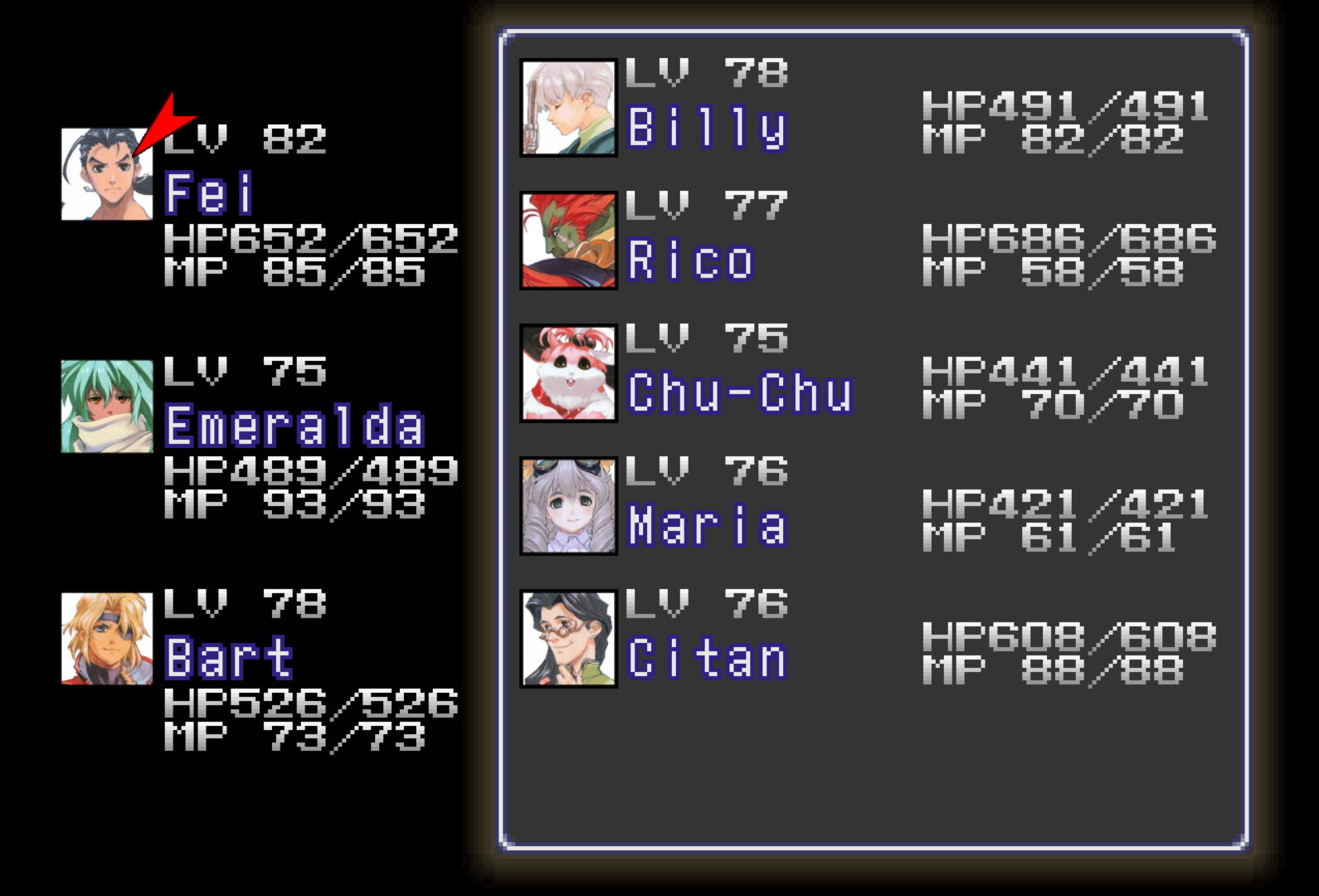

Save/Load screen:
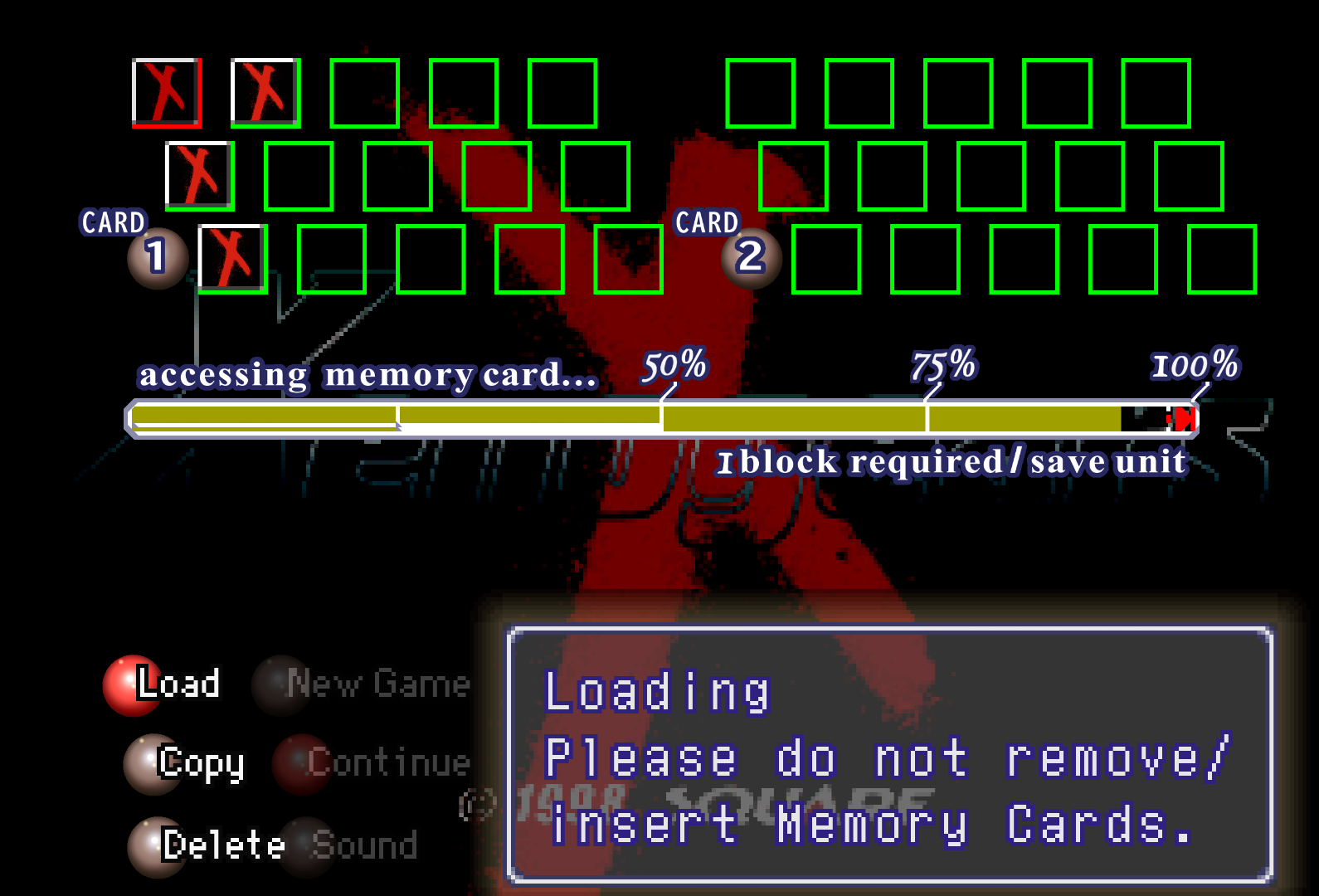

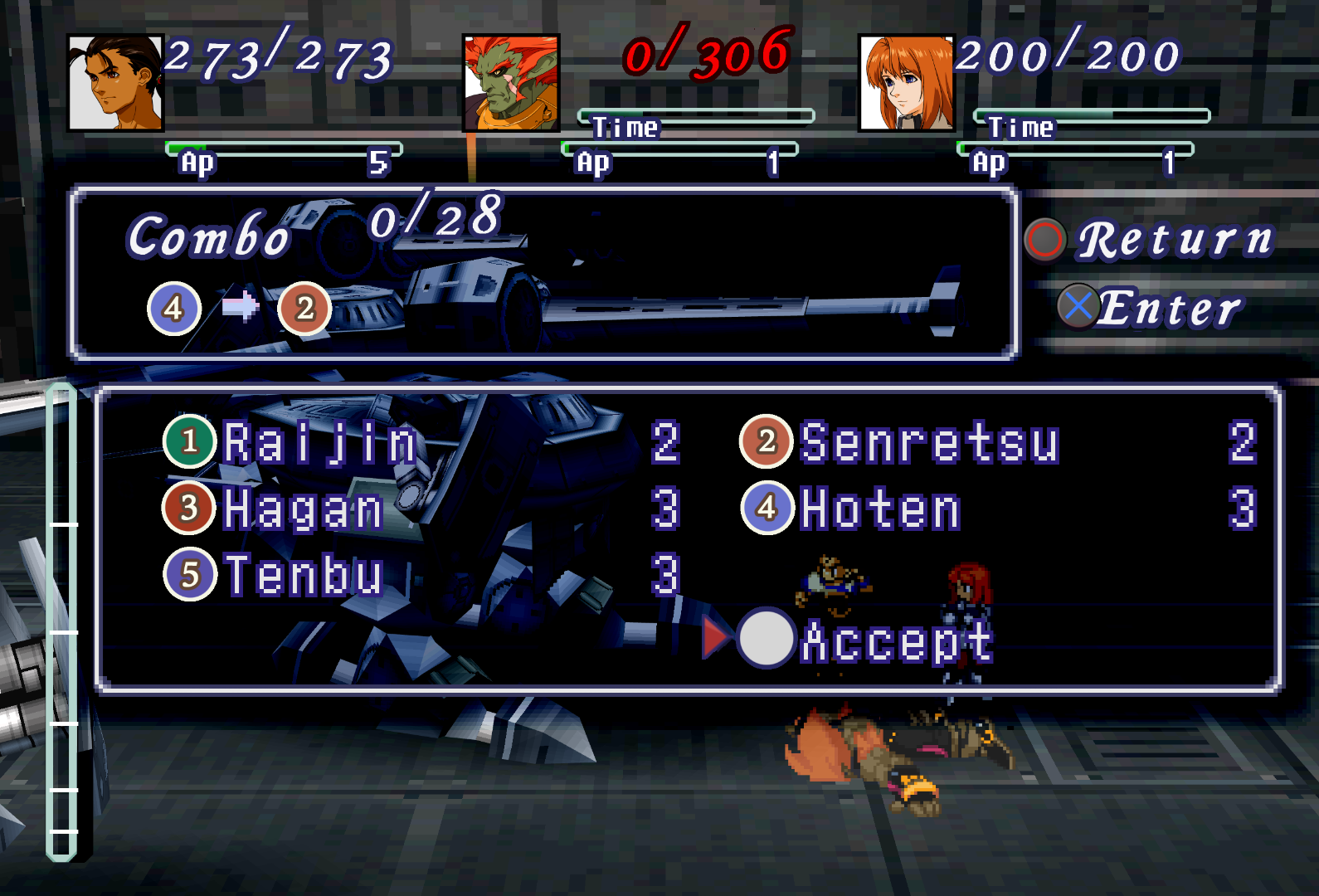
On-foot & Gear combat UI, unmodded vs modded:
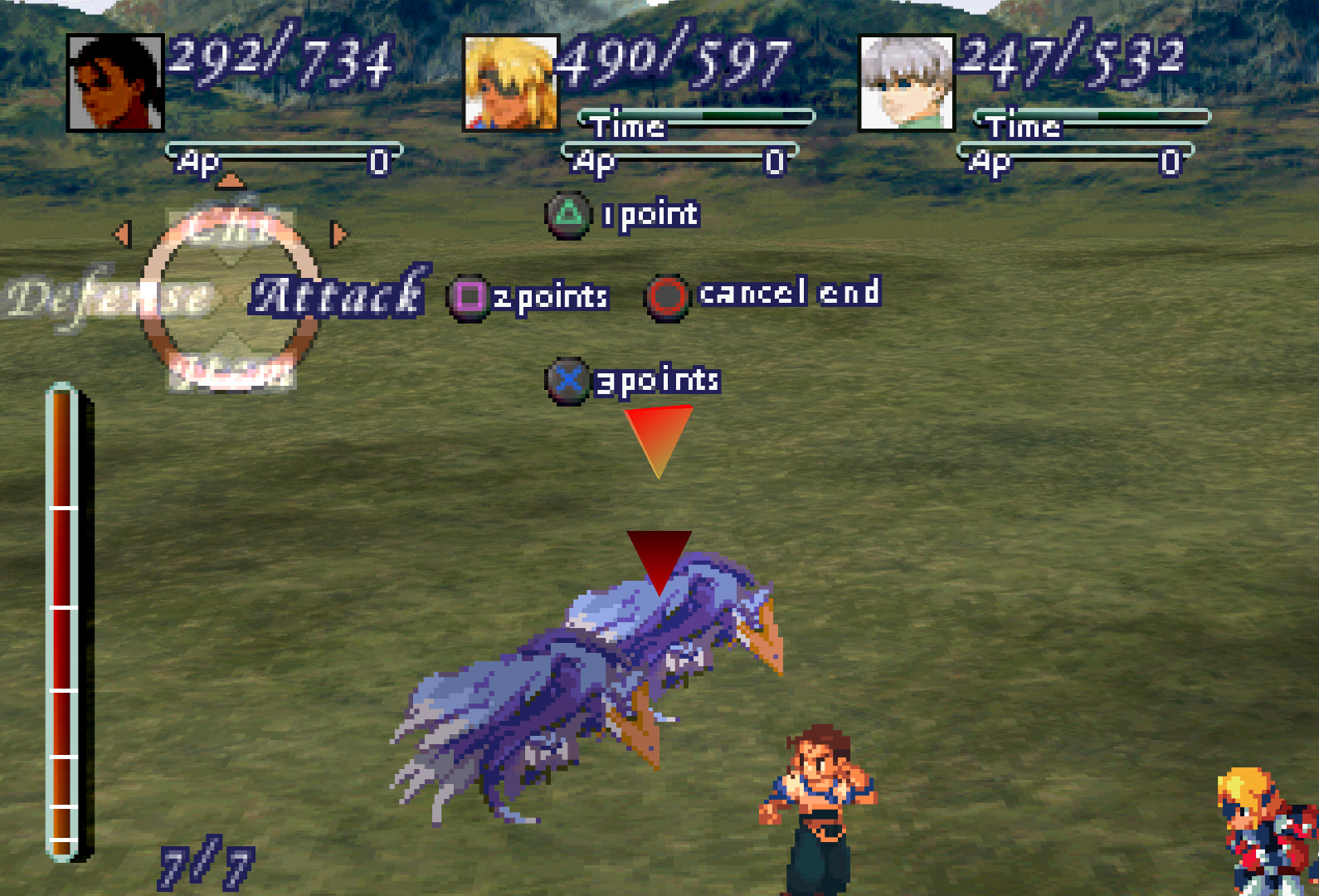

Combo menu:

Menu & combat buttons:

Maps: [10]

Compass letters, menu portraits & R1/L1/Walk/Gear icons:[11], and an alternate menu selection arrow.
JP-version-specific UI​

日本語版UI​


  1. As it is now, every character portrait needs like 10+ duplicates and its spotty in terms of whether it’ll actually work or not when loading into a 3D map. Seems like it fails to work initially until you leave the area and re-enter, I hear? (someone’s been testing it and telling me how it’s been looking recently.) ↩︎

  2. This includes information such as how to set up .cue and .m3u files, swapping discs, renaming the texture folder, Retroarch settings and Beetle PSX HW Core settings to get the mod working, settings suggestions for making a cleaner looking and faster playing XG (YMMV), and settings to fix certain emulation issues Ive come across (freezing on fast-forward, crackling audio during 3D/effects-heavy cutscenes/gameplay, blank screen during Rico flashback, etc). ↩︎

  3. (almost :unamused: looking at you, Bart’s men) ↩︎

  4. Some characters have portraits edited from their original artwork to match their in-game sprite versions (i.e. unsmiling Citan dialogue). All portraits that this applies to are referred to as the mod’s “defaults”.
    Some characters also have Perfect Works versions of their art portrait (i.e. light skinned Roni) that are referred to as the mod’s “PW alts”. ↩︎

  5. With any new updates, delete your old “-texture-replacements” folder and replace with the new. ↩︎

  6. Except the one used for Bart’s men in a couple Gear fights; there is no artwork equivalent and its much smaller than dialogue portraits that also have no artwork equivalent, like Stein. A lot of liberties would have to be made to attempt to draw that accurately. I would need some other reference to go off of. ↩︎

  7. Unfortunately, there’s no way to change the other mid-DB quadruple-button icons that I’m aware of. The texture doesn’t dump. ↩︎

  8. Unfortunately, there’s no way to change the circular target part of this UI that I’m aware of. There’s also absolutely no way of replacing the triple red triangles’ black “backgrounds” due to its very nature- they aren’t textures, per se. The shape is dictated by the code, not by the image. It’s grabbing that black from a small area in the middle of the Gear status box texture, then tiles that area in that pixelated sideways arrow shape. ↩︎

  9. Unfortunately, there’s no way to change the circular compass texture that I’m aware of. The texture doesn’t dump cleanly. ↩︎

  10. Both disc 1 and disc 2 maps. Disc 1 featured here. ↩︎

  11. Compass circle cannot be changed as it does not dump correctly. ↩︎
2 Likes

:warning: Spoiler portrait images :warning: [1]

“You might get spoiled.
Consider that fact when
you open that spoiler tag.”

SPOILER— Going into further detail about the portraits:

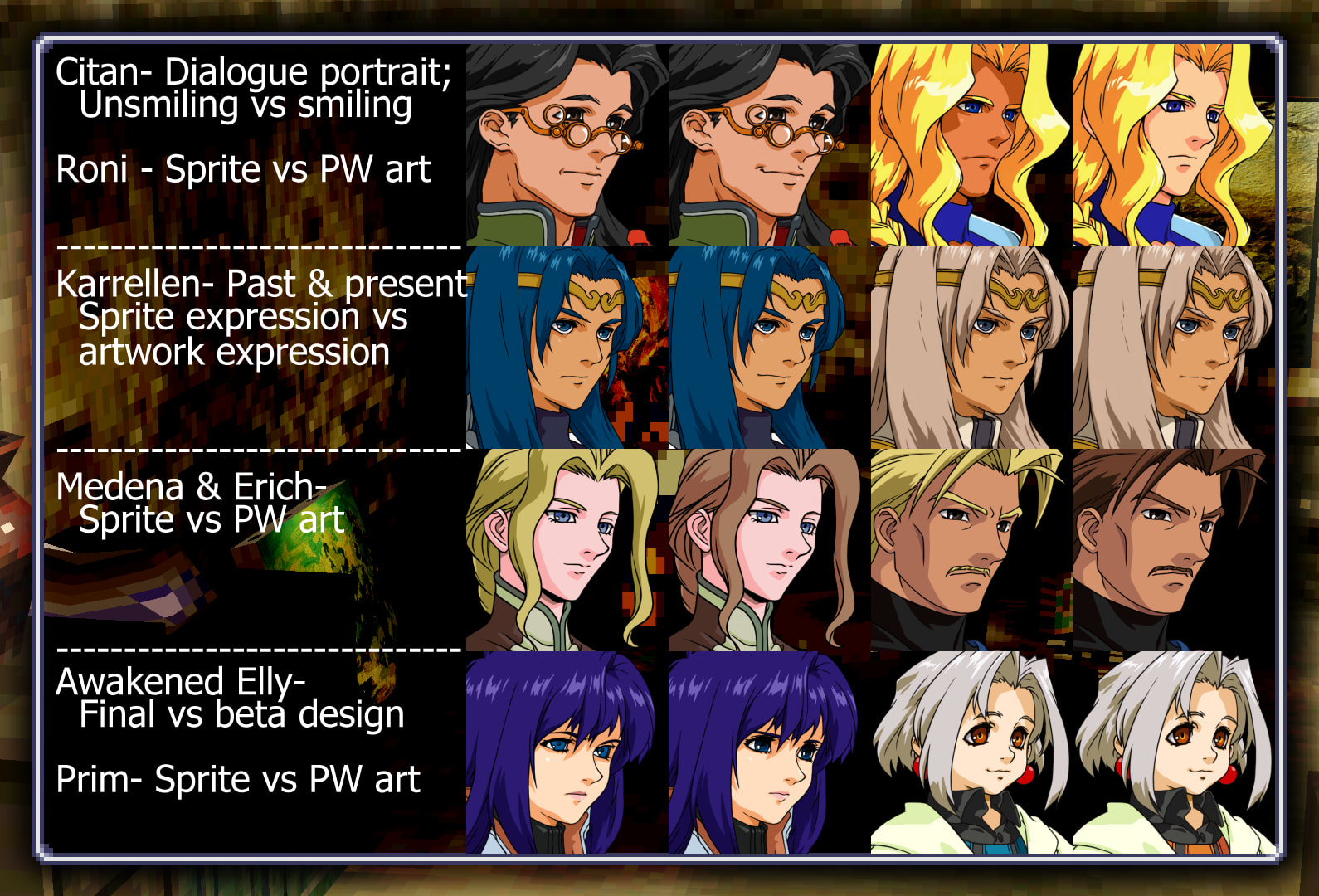
For some characters there are sprite versions of art (edited art to match their in-game sprites) & their alternate Perfect Works art portrait.
(Awakened Elly is the only one that this doesn’t apply to, as this is her final vs beta artwork. [2])

Sprite versions are always default. [3]


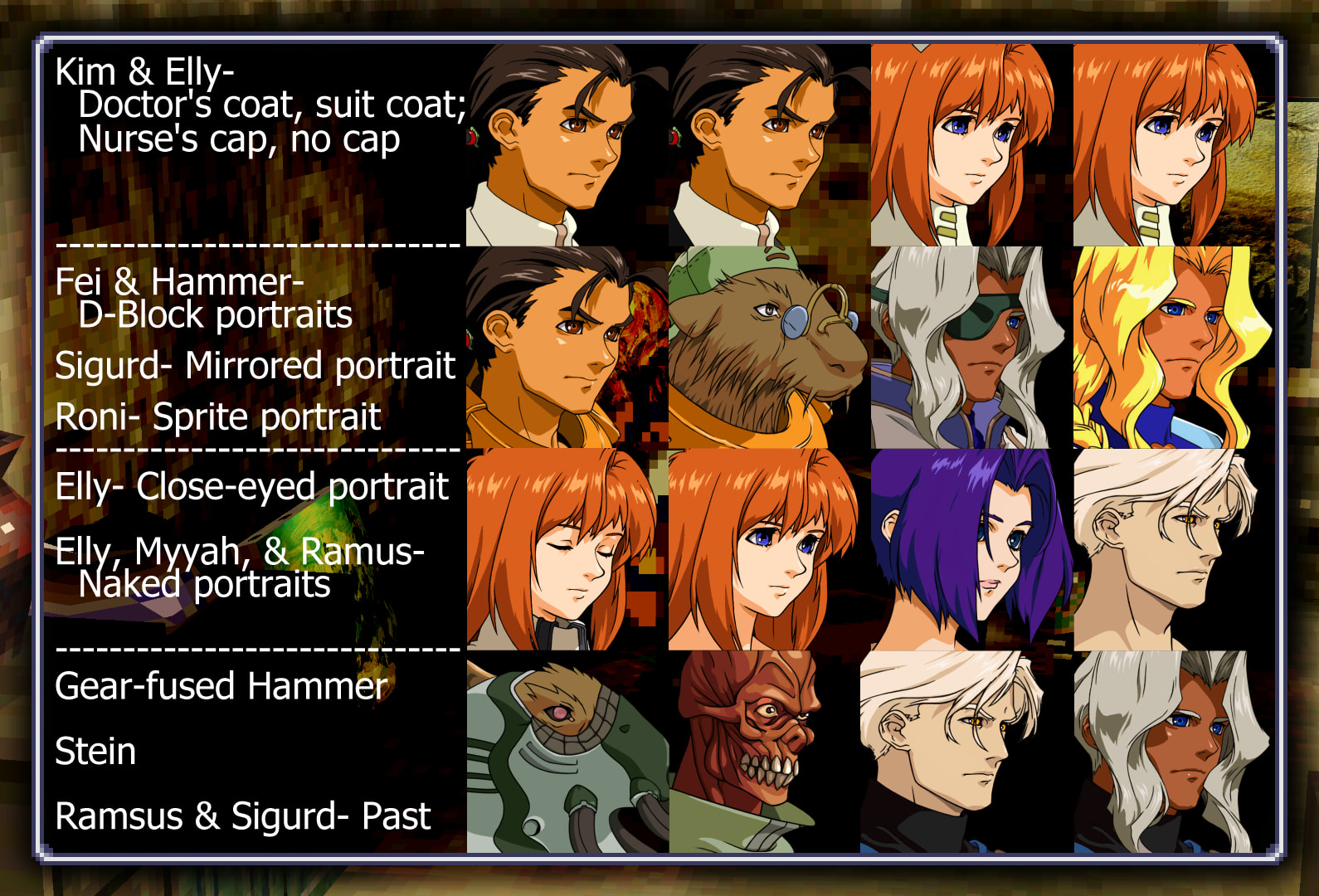
Here are portraits that have no artwork equivalent, needing to be edited from pre-existing artwork to match the sprites, or in the case of Gear-fused-Hammer and Stein, created from nothing but the in-game sprite as they have no artwork equivalent whatsoever.


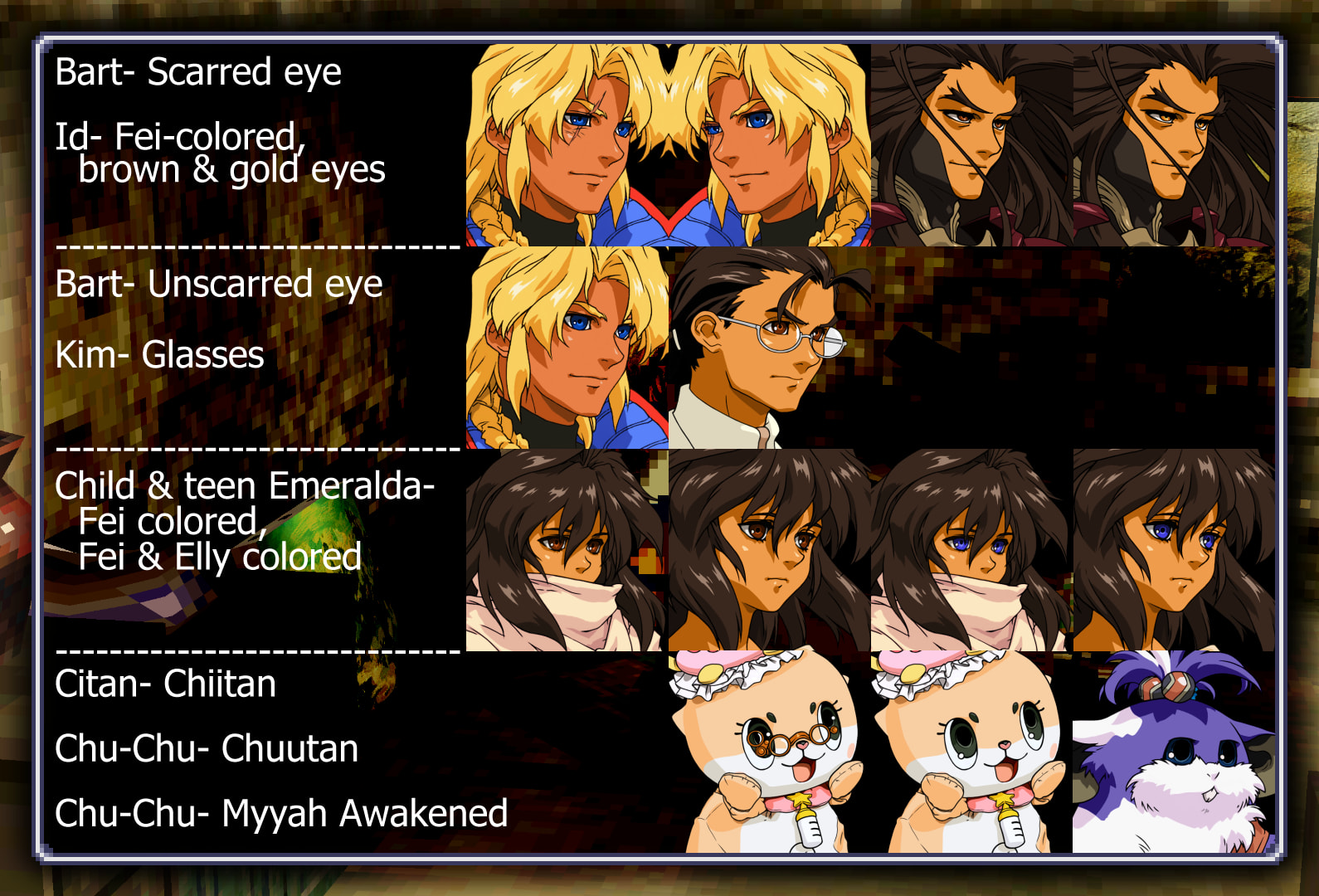
Here are portrait alts created purely for fun :down_arrow:
(might add to this list later. have any suggestions? fun ideas? lmk)


  • ( ~ ’ ᵕ’)~

(Putting a second reply here, in case I have to split the original post. I initially hit the 10k character limit and had to scale back a bit lol)

There we go- its fully hosted on Godsibb now. :clap::clap:


  1. I won’t be showing all portraits here; only ones worth mentioning. ↩︎

  2. I had to fit her in somewhere and this one had room ↩︎

  3. This goes for Roni, Medena, Erich, & both Karellens. Citan has an edited, unsmiling alt for his dialogue only, to match how he appears in-game (smiling in combat and menus, not smiling in dialogue) ↩︎

Amazing work ! :smiley:
Congrats ! :clap::clap::clap:

It’s so cool that you put all the effort to do this! Thank you so much!

Ahh, thank you!! Was just asked whether I wanted Godsibb to host the mod instead; I figured it’d be better than tumblr, yeah :joy:

Would this work for Duckstation standalone?

Nope, this only works through Retroarch’s Beetle PSX HW core real-time texture replacement option as Duckstation doesn’t have its own equivalent to that option. I’d removed the mention of it not working on Duckstation as I figured saying it was for Retroarch specifically would be enough, but I’ve been asked about Duckstation so much that I guess I’ll put that back in.

Until Duckstation adds their own equivalent to that option, this is only possible to do through Retroarch’s PSX HW core.

First time playing the game with your patch as long with the Perfect Works one. But as i start the game everyone in the village have pixelated portarit except Fei, which is the only character with HD portrait. Is this intended?

Fei’s is the only one that’s clear whereas Chief Lee, Timothy, Alice, Dan, Citan, Yui, and Midori all have pixelated portraits; is that what you’re saying?
If so that is very odd. Normally it either will work or it won’t, but no in-between.
The only case where I can think of it partially working is the differences in the English and Japanese roms, but since you mentioned PWB I already know that you have to be using the English rom.

Screenshots may help, idk. Feel free to msg me through twitter if you want…if you have one. There you can spam me all the screenshots you want. If this is an issue I dont know about I wanna find a solution.

Ive played a little bit more and only Fei, Dan and Citan have the HD portraits, but not the rest of the villagers, Midori, Alice, Timothy etc… Have the original pixelated portraits. I thought it was intended since those characters dont have that much screentime. Other than that seems like everything works as is supposed to? Ive send you some texts and screenshots in the twitter dms so you could see this “problem” in more detail.

Figured out their issue :up_arrow:. Its PWB 0.4.6, the latest version. Under their version notes there’s “Rogue pixels on facesets have been fixed outside of the portrait mod.”
outside of the portrait mod”, means even if you made sure to not select the “Readjusted portraits” patch, those files are now changed, thus the names of their portraits are changed when dumped.

(4/18/24 edit: This change now appears to be under both the “Graphical fixes” and “Readjusted portraits” options.)
Here are the file names, if you patched it and don’t wanna have to repatch it all. Just go into the folder and rename everything manually.

Use these names if you used the Graphical Fixes patch:
  1. Fei’s Sad Portrait - (old name: c44361bb-b2e81840) f7511ac9-339f07ab.png
  2. Adult Emeralda - (bf58561-84598680) 13d8bed6-e5bc243c.png
  3. Id - (840eb794-71046228) ee7899fd-4c2afa5b.png
  4. Miang - (6262da3b-148cb3e) 96aae7a8-c0acac2c.png
  5. Karen - (59785951-c65ba831) 9af6b578-56affa2d.png
  6. Vanderkaum - (bf418954-18cb0ded) [/COLOR]4e8534c1-695609b8.png
  7. Shakhan - (e2784dd7-8878c18d) 8a9bf742-673e8111.png
  8. Renk - (feb33c34-a11380ee) 1a9dc0f4-b44c4b88.png
  9. Broyer - (dae75350-8a549e0c) 7e152c99-3d9bdffc.png
  10. Stratski - (a46f7111-904bb173) 9e6b9961-cdd20b0b.png
  11. Franz - (a4b08849-727a7d35) e3b464a6-79c42965.png (the dolphin, not the Gebler pretty boy)
  12. Yui - (52c01ea-982180de) 4ac0ad8e-c42aba50.png
  13. Midori - (11c8f769-dc78cd4e) cc676900-66241a89.png
  14. Chief Lee - (d3756da8-29e124d) fffd7062-c3370775.png
  15. Alice - (9b395356-b020aead) d3a44e6-b746b416.png
  16. Timothy - (ae68acff-afcd026a) 95d151a0-c02a787c.png88.
Use these names if you used the Resized Portraits patch:

Xenogears Perfect Works Build 0.8.2 - Resized portraits patch
RetroArch - Beetle PSX HW - Texture Replacement filenames

  1. Hammer transformed - 16eb1ab1-fc330999
  2. Elly drugged - 1ad71095-9b8c08cc
  3. Rico - 1b5961ea-843b6b53
  4. Executioner - 21a638a-eb439a14
  5. Roni original - 23350be6-a8a9aab
    Roni PW portrait - 34cf0bf4-a6252a2
  6. Elly eyes closed - 2563a497-a11380ee
  7. Elly no nurse cap - 2ba5942-69dfde9a
  8. Elly - 2c85d6a9-9b1540f1
  9. Ramsus past - 2c942134-90b56a32
  10. Krelian - 2e28e238-7400889f
  11. Miang - 341b0b2e-a8aed7e2
  12. Stone - 34f8bc8e-60c88562
  13. Elly miang - 367df9a-8878c18d
  14. Stratski - 390771e5-b020aead
  15. Helmholtz - 3b513d9b-b3db69db
  16. Seraphita - 3c29cf16-3faf1772
  17. Dominia - 3dac6e01-daa4214f
  18. Kelvena - 41e855f1-4b6a5143
  19. Chief Lee - 4949233a-76d526b7
  20. Id - 4c154870-940c4964
  21. Sigurd reverse - 4cfb0dda-148cb3e
  22. Emperor Cain - 51f36320-18cb0ded
  23. Emeralda young - 533ff433-1a14a4a5
  24. Chu-Chu - 53861a50-398aa626
  25. Gazel blue3 - 545484ad-d89c4c37
  26. Vanderkaum - 55b6b4d7-6a274e97
  27. Fei bomb collar - 55ccd21e-54e41328
  28. Maria - 56107edc-88b0c18e
  29. Vance - 5e2f5c12-96cec801
  30. Khan - 606911fb-c65ba831
  31. Sigmund - 61797780-d588213e
  32. Yui - 63edaebb-8099cb6e
  33. Gazel red4 - 64220bf9-32af4398
  34. Shakhan - 6452489b-4d49eace
  35. Miang nude - 6461f42e-82d1994c
  36. Gazel red1 - 72071ff9-7e8e6163
  37. Hammer - 754f8441-facfe3a0
  38. Gazel blue1 - 7615ac83-94c4a3c0
  39. Renk - 7e40e2f7-9a0db614
  40. Gaspar - 80b45a14-cee13092
  41. Maison - 830c6342-426f9c0b
  42. Ramsus nude - 85fe38b4-f962f88c
  43. Tolone - 8666ebb8-a8c1a56f
  44. Jesse - 8a270888-904bb173
  45. Sigurd past - 8bc8df3a-e9488e31
  46. Erich - 8f7f012d-8b71465a
  47. Big Joe - 95313333-1c438bee
  48. Alice - 97ab6f52-982180de
  49. Margie - 997db86d-cfa7bc03
  50. Karen - 9ae7cf02-dc6e2aba
  51. Primera - 9ddd279b-d7084b50
  52. Bart - 9e019ad7-29e124d
  53. Balthasar - 9e7747c3-71046228
  54. Question Mark - 9f8fda3-a051546e
  55. Citan - a433842c-84598680
  56. Taura - a462b343-f27147e7
  57. Emeralda adult - a9e2f67-bc92771a
  58. Timothy - ae3f33ba-afcd026a
  59. Ramsus - b07dd915-d7ccfdc9
  60. Gazel red2 - b149769a-89776150
  61. Broyer - b247c16a-6f6cfde1
  62. Elly pained - b5049095-a6da8c78
  63. Captain - b5b19604-4f8cbd23
  64. Elly awakened - b7d9a53-8a549e0c
  65. Kim labcoat - bcca3685-52245bd3
  66. Fei sad - bd286d6c-b2e81840
  67. Fei - bdc86a76-bc2f6e29
  68. Midori - bdf9387f-dc78cd4e
  69. Krelian past - bfe56226-f5240320
  70. Rene - c0779755-331ae009
  71. Hammer bomb collar - c0ac5cd-a51bb352
  72. Sophia - c0e1cc66-46c63f49
  73. Stein - c3dc9e58-faca4cdd
  74. Elly nurse cap - cb983ceb-b3db69db
  75. Franz - cdfcac9-727a7d35
  76. Kim suit - d142e455-fdf09e7b
  77. Dan - d275ac1e-83a22488
  78. Gazel red3 - d99d45f4-9d26f6b
  79. Gazel blue2 - e0ad71b7-fa11170a
  80. Grahf - e1b64431-b6bf75a0
  81. Zephyr - e52d13e8-106c37a0
  82. Billy - e5866eb7-9e35a6ab
  83. Medena - e5f1e306-bf93bd75
  84. Gazel blue4 - e835f791-4c492870
  85. Elly nude - ef7ac450-91b39716
  86. Wiseman - f6484708-e30129f5
  87. Nikolai - fd19e05b-4a410dd5

(Ty Siris for collecting these)

Just wanted to pop in and say that you’re doing fantastic work. Making some changes soon so hopefully I can be a bit more active here.

Thank you!! Currently working toward updating enough textures to warrant a v1.5. Still so much work to do before I’m 100% happy with it.

Note: I could not find the ID file in the main texture pack folder (Line #3) so I pulled it from the Alternate Portraits folder. I am starting a new game to test this, so it will be awhile until I get far enough into the game to test this.

Thanks for pointing that out! Somehow I missed copying the 8 at the beginning of the file name into that post, “840eb794-71046228”

No problem! I had a feeling that was the issue, but I was not sure, so I figured I would post on the forum.

I woke from the dead to say I’m here because I saw you posting on Bluesky and this is such a cool project! Over the winter holiday I’d like to give it a shot!

Thanks! hmm, perhaps I’ll do a few more portraits and release a 1.6 before then so everyone can have the finished UI textures. I’m pretty sure I’m done improving the UI now.
Make sure your GPU is compatible with Vulkan!

I created an account just to join this discussion… I am quite interested in your project. Is there any attempt to overhaul the sprites, and environments? I’ve ripped the videos and made them all 1080 @ 60fps, and enhanced them with Topaz Ai. I would love to inject them back into the game at that quality, but I have no idea how to. I’ve never done any modding before, and was looking to try to take on enhancing the game. Which lead me to here.

No, through this texture replacement method it cannot replace sprites, they don’t load the same as normal textures nor do they dump the same. Afaik, there is currently no way of replacing character sprites like this in PS1 titles. Like, there are even some textures in this game that RetroArch just does not dump and therefore I cannot replace. Like the circular compass texture. Can’t do anything about that looking pixely.

As for the environments, I personally don’t think the game needs it, the pixely textures are a part of its charm and integrates the sprites really well with the 3D model environments. So my focus is only really on the aspects that look overly pixelated like portraits (which we have artwork of, so like why not) or rounded text that would be a bit hard on the eyes on modern screens.

Others have made AI upscaled textures, so that’s there for anyone who wants it. And you can mix and match the texture packs that use this RetroArch texture replacing method to make the game look the way you want. So I know a few people who have used the AI upscaled texture pack, but then overwritten it with everything in my texture pack, giving them the portraits and UI of mine, but keeping the rest of the UI and all environmental textures of the other.

Personally if I were to AI upscale the videos I wouldn’t touch the fps of the animation cutscenes. It looks great doing 60fps to the CGI cutscenes, but filling in frames in animation that’s specifically made for 12fps just messes with the entire artistic intention and gives an uncanny buttery movement to it that looks pretty bad. Because anime animation was made specifically with that low fps in mind.
What I’ve noticed is it looks especially bad to artists more than it does the average person? idk, over time I’ve just noticed that more often than not its non-artists that tend to be the ones liking 60fps-altered anime and not noticing a lot more than I’d expect in other areas of visual art. Like being unable to easily pick out that something is an AI generated image. idk w/e, I’m digressing

But yeah, I also have no idea how to inject videos, but the Perfect Works Build guys are doing exactly that with their project in order to add subtitles to the cutscenes. You could head over to their discord and ask them how they do it.